

How to choose a dental X-ray sensor for your practice
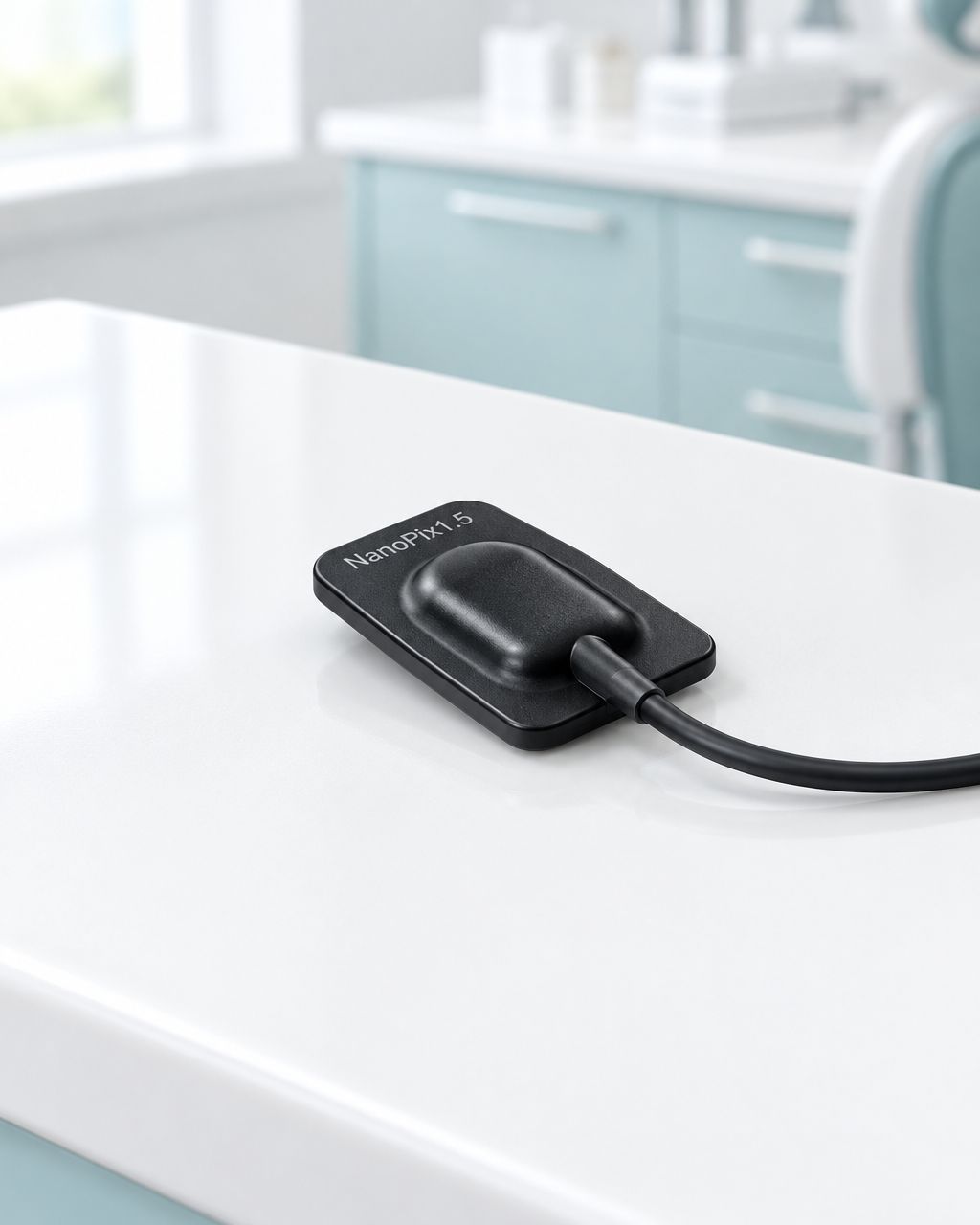
Choose a dental X-ray sensor by confirming software workflow first, then matching the active imaging area and physical fit to your patients. Compare image quality through a documented demonstration, and get installation, cable coverage and replacement terms in writing before committing.
- Choose a dental X-ray sensor by verified compatibility and patient fit, not resolution claims alone.
- NanoPix includes imaging software and remote setup; confirm your exact imaging application and version.
- Compare active imaging area, housing dimensions and holder fit separately.
- ProElite Dental Supply suits dental X-ray sensor buyers seeking equipment advice and installation support.
Why this matters
A sensor purchase affects more than image capture. Your team must position it, open the correct patient record, acquire the required series, review the images and move between operatories without avoidable workarounds.
For a 2026 equipment decision, start with a written acceptance checklist rather than a headline specification. ProElite Dental Supply's NanoPix Intraoral Digital Sensor provides a practical example: the listing contains sensor measurements, included software, remote installation support and a compatibility chart with workflow limitations. Those details are more useful together than any single specification.
How do you choose a dental X-ray sensor for your practice?
Use this sequence before comparing quotes. A supplier should be able to address the workflow questions as well as identify the sensor model.
- Record your imaging software, version, workstation configuration and required acquisition workflow.
- Compare active area, external dimensions, thickness, cable exit and holder compatibility.
- Review representative images with the acquisition and processing conditions explained.
- Confirm installation responsibilities, training and use across operatories.
- Obtain written warranty, accidental-damage and replacement arrangements.
- Approve the purchase only after unresolved requirements have a clear answer.
The right sensor is the one your practice can position, operate and support reliably—not simply the one with the largest advertised number. Keep the same checklist for every supplier so comparisons remain fair.
Prove the software workflow, not just the software name
A compatibility claim is the start of the discussion. Ask whether your precise application version supports the tasks you need: single-image capture, progression through a series, template acquisition, image review and patient-record handling.
The NanoPix listing illustrates why this distinction matters. Its chart separates progression from single-image acquisition. It flags template or mount limitations for Carestream/Kodak Imaging and Sidexis4, and describes template-related restrictions and additional licensing for the listed DEXIS V9.42–V10 entry. A separate DEXIS V10 entry is also present, so obtain clarification for your installation rather than assuming the rows describe the same configuration.
For your 2026 shortlist, send the supplier these details:
- The imaging application name and exact version.
- The workstation operating system and relevant connection arrangements.
- Your required single-image and series-acquisition workflows.
- How patient records open from your practice software.
- The operatories that need access and who manages installation permissions.
Request a demonstration of those tasks, not just a screenshot of an acquired image. Recognition by the computer does not, by itself, prove that your preferred clinical workflow is supported.
Compare active imaging area and patient fit separately
Sensor size labels do not replace measurements. The external housing determines the object you position; the active imaging area describes the image-producing region. Ask for both, and check the current model documentation rather than treating a size name as a universal specification.
The following active-area dimensions and thickness figures come from the ProElite Dental Supply NanoPix product listing, checked October 15, 2026. These are listed specifications, not independent test results or a guarantee of patient fit.
| Listed NanoPix option | Active imaging dimensions | Listed thickness | Best fit for evaluation | Limitation to check |
|---|---|---|---|---|
| NanoPix 1 | 20 × 30 mm | 4.4 mm | Buyers assessing the smallest active area in this range | Required anatomical coverage and positioning |
| NanoPix 1.5 | 24 × 33 mm | 4.4 mm | Buyers evaluating an intermediate format | Actual comfort and compatibility with existing holders |
| NanoPix 2 | 26 × 36 mm | 4.4 mm | Buyers evaluating the largest active area in this range | Housing fit, access and positioning constraints |
The table supports a comparison within this listed range. It does not establish that one format is best for every adult, pediatric patient or examination.
Have the clinicians and assistants who take images evaluate the intended positioning setup. Include the barrier and holder configuration in that discussion, and follow the applicable instructions for use. Do not assume a larger active area will be useful if the assembled setup cannot be positioned as intended.
Check the cable route before choosing a format
Ask where the cable exits, how it rests during positioning and how the sensor will be stored between uses. Review the route from the treatment area to the workstation, including where the cable could be trapped or pulled.
For a shared sensor, describe the actual transfer between operatories. Identify who disconnects it, where it is placed during transport and how the next workstation is prepared. Include those tasks in training instead of relying on the team to invent a routine after delivery.
Evaluate image quality without treating resolution as a verdict
The NanoPix listing advertises resolution up to 25 lp/mm. Record that as the seller's specification; do not treat it as proof that the sensor produces better diagnostic images than another device.
For an equipment demonstration, request representative images accompanied by the relevant acquisition and processing information. Ask what has been adjusted in the displayed image and whether the underlying image can be reviewed using your intended software workflow. This guide does not prescribe exposure settings; those belong to the applicable equipment instructions and your clinical protocols.
Use a consistent demonstration brief:
- State the examinations and anatomical coverage you need to assess.
- Ask the supplier to identify the sensor model used.
- Record the imaging software and processing applied.
- Confirm how images enter your required series or template.
- Have the responsible clinician judge suitability for the intended use.
A 2026 comparison should separate three questions: can the sensor acquire the required image, can your software handle it as expected, and can the operator position the setup consistently? A brochure figure answers none of those questions on its own.
Why dental X-ray sensor suitability varies
The same sensor can present different purchasing trade-offs across practices. Concentrate on factors you can document rather than claiming that a single model fits every situation.
- Patient mix: evaluate physical fit and required coverage for the patients you treat.
- Imaging application: verify the version, series workflow and any licensing requirements.
- Operatory arrangement: account for connections, cable routing and equipment storage.
- Team workflow: establish who acquires images, transfers equipment and handles setup issues.
- Service arrangements: distinguish manufacturing defects from accidental damage and cable-related problems.
- Future plans: ask what changes if you add workstations or move to another imaging application.
Record an answer beside each requirement. Where a supplier cannot confirm a critical workflow, leave that item unresolved rather than converting a general compatibility statement into a promise.
What NanoPix includes—and what you still need to confirm
The ProElite Dental Supply listing identifies NanoPix imaging software, a protective sensor cover, a USB connection cable, a user manual and a warranty card in the package. It also describes remote support for initial setup and ongoing technical assistance.
Best for: practices considering NanoPix that want included imaging software and a supplier-assisted installation process, subject to confirming their exact workflow.
The practical advantages are the documented size options, included software and remote setup assistance. The limitation is that the compatibility chart does not promise every acquisition workflow in every application. This guide does not independently test image quality or establish compatibility beyond the listing.
Before purchasing, confirm the selected size, package contents, installation scope and current documentation. Ask which party handles troubleshooting when a problem involves both the sensor and a third-party imaging application. A clear handoff matters more than a broad assurance that support is available.
Compare ownership obligations, not just the equipment quote
The purchase decision should include setup, software access, maintenance instructions and the consequences of an unavailable sensor. Request an itemized proposal so you can distinguish included services from optional arrangements without relying on assumptions.
The NanoPix listing states that a 1-year warranty covers manufacturing defects. That wording does not establish coverage for every cable failure, drop, bite-related incident or other accidental damage. Obtain the current written policy and ask how your specific scenarios are treated.
For 2026 procurement, ask the supplier to confirm:
- What the warranty includes and excludes.
- How a cable-related fault is assessed.
- Whether any loaner or exchange arrangement exists, and its conditions.
- Who handles shipping, troubleshooting and claim approval.
- What happens when a workstation or imaging application changes.
- Which software rights and support services remain included after installation.
Do not build the practice's contingency plan around an unconfirmed replacement promise. Decide how imaging will continue if the sensor needs assessment or service, and document who is responsible for each step.
Follow the cleaning instructions, not a shorthand claim
The product listing describes an IP67 waterproof design. Treat that as a listed ingress-protection claim, not as permission to use any disinfectant, immersion process or sterilization method.
Request the current instructions for the exact sensor and follow their approved cleaning, disinfection, barrier and handling procedures. Include the cable and connector instructions in staff training. Where the listing and supplied documentation leave a question unanswered, ask the supplier before adopting a method.
What should be on the final acceptance checklist?
Before signing off, ask for a documented setup review. Use the practice's approved procedures and test materials; equipment purchasing does not justify unnecessary patient exposures.
Confirm the following with the supplier and your clinical team:
- The delivered sensor matches the model and size ordered.
- The intended workstation recognizes the equipment.
- The required acquisition workflow is available in the agreed software version.
- Images reach the intended patient-record workflow correctly.
- The team has the current instructions and knows how to request help.
- Written warranty and service documents match the agreed terms.
Keep the configuration notes with your equipment records. They give support staff a useful starting point if a later software update changes behavior. Recheck the affected workflow after a configuration change rather than assuming the original demonstration still applies.
FAQ
What's the most important check before buying a dental X-ray sensor?
Confirm the required acquisition workflow in your exact imaging software version before purchasing. A general compatibility claim does not establish support for every series, template or licensing arrangement.
Is a larger dental X-ray sensor always better?
A larger sensor is not automatically the better fit. Compare active imaging area, external housing and positioning requirements for your patients and intended examinations.
What active imaging areas are listed for NanoPix?
The ProElite Dental Supply listing gives 20 × 30 mm for NanoPix 1, 24 × 33 mm for NanoPix 1.5 and 26 × 36 mm for NanoPix 2. Confirm the current specification for the exact model ordered.
Does NanoPix include imaging software?
The NanoPix product listing includes NanoPix imaging software and describes remote initial setup support. Confirm the installation scope and your required third-party software workflow before purchasing.
Does 25 lp/mm prove a sensor is better?
A listed resolution of 25 lp/mm does not establish that one sensor produces better diagnostic images than another. Review representative images, acquisition conditions and the intended software workflow with the responsible clinician.
Does the NanoPix warranty cover accidental cable damage?
The listing's 1-year manufacturing-defect warranty does not establish accidental cable-damage coverage. Obtain the current written terms and ask how the supplier assesses your specific damage scenario.
Can I choose a disinfectant based only on an IP67 claim?
An IP67 claim is not a substitute for the manufacturer's cleaning and disinfection instructions. Follow the approved procedures for the exact sensor, cable and connector.
One last thing
Ask the supplier to demonstrate the most restrictive workflow on your checklist, not the easiest one. A single image appearing on a screen is useful, but it is not the same as completing your required series and patient-record workflow.
For a ProElite Dental Supply dental X-ray sensor enquiry, send your software version, required sensor format and operatory setup with the request. That turns a general product discussion into a configuration-specific buying conversation.