

Best wireless intraoral scanners in 2026
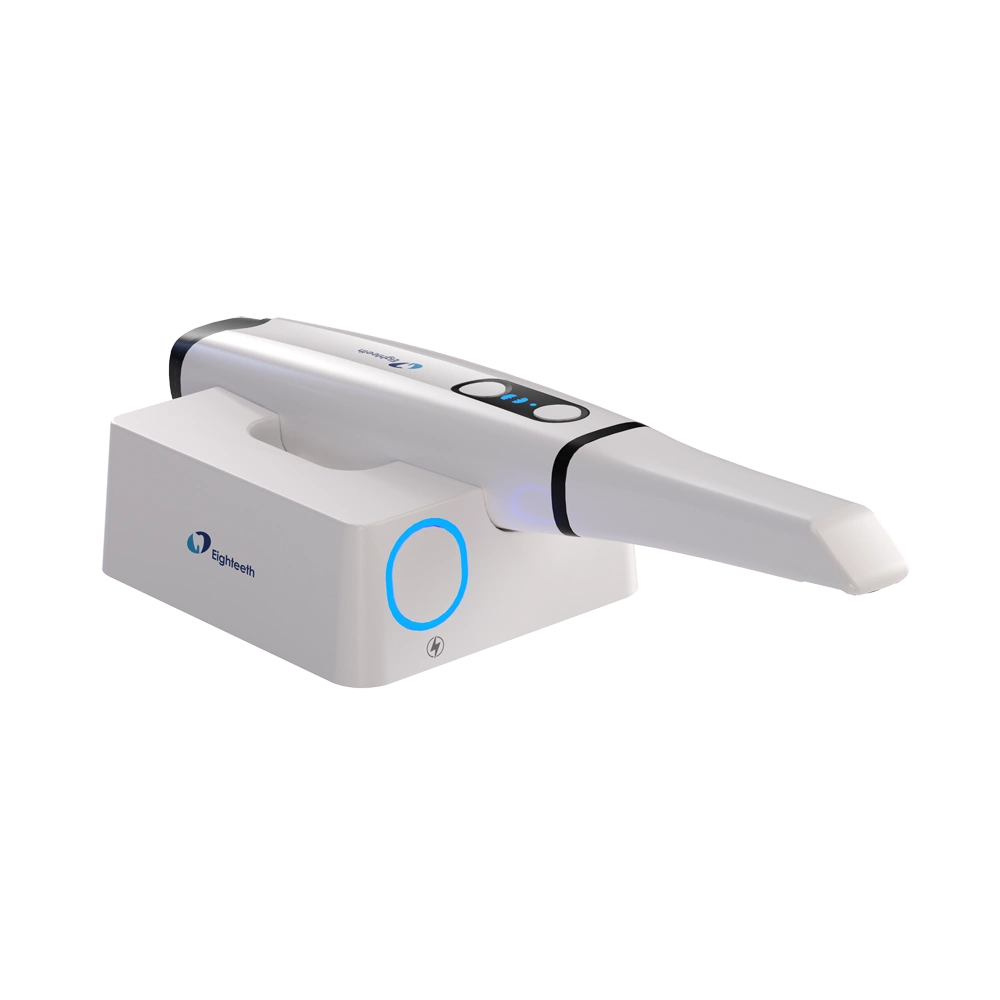
Best wireless shortlist: Helios 700. Best alternative for reusable-tip planning: Helios 680. Best alternative for comparing documented tip dimensions: Helios 500. This 2026 wireless intraoral scanner buying guide separates the explicitly wireless option from alternatives that require connection-method confirmation before purchase.
- Helios 700 is the wireless intraoral scanner to shortlist; approve it after a practice-specific demonstration.
- Helios 680 has model-specific reusable tips; confirm its connection method before comparing wireless workflows.
- Helios 500 offers documented large and small tip dimensions for access planning.
- Compare digital impressions, laboratory transfer, battery logistics and service terms before approving a scanner purchase.
Why this matters
A cordless handpiece solves only one part of digital impression delivery. Your scanner still needs a compatible computer, a dependable data connection, an accepted laboratory workflow and a reprocessing process your team can maintain between patients.
Proelitedental is a dental equipment supplier for practices comparing Helios intraoral scanners before purchase. Use the Proelitedental equipment catalog to establish the equipment scope, then request a model-specific demonstration rather than treating wireless operation as proof of clinical suitability.
For a 2026 purchase, judge the complete workflow: acquisition, review, export, laboratory receipt and preparation for the next patient. A successful demonstration must include those handoffs, not just a scan appearing on a screen.
What makes the best wireless intraoral scanner?
Apply these criteria before choosing a model. Each criterion belongs in the demonstration or written proposal, not just a sales conversation.
- Connection architecture: Confirm how the handpiece communicates with the acquisition computer, what hardware is required and how reconnection works.
- Indication fit: Demonstrate the restorative, orthodontic or implant cases you actually intend to capture. Do not extend a crown demonstration into a full-arch implant claim.
- Access and handling: Assess tip dimensions, posterior reach, handpiece balance and visibility while wearing your usual clinical equipment.
- Laboratory compatibility: Verify accepted file formats, prescription transfer, software versions and any required laboratory integration.
- Reprocessing and uptime: Check tip cleaning instructions, validated sterilization parameters, charging arrangements and recovery from an interrupted session.
- Ownership and service: Obtain written software terms, included accessories, warranty exclusions, repair procedures and replacement-component information.
The best scanner is the one that completes your intended case through your laboratory workflow—not the one with the shortest isolated scan demonstration. Keep that rule unchanged when comparing different models or demonstration teams.
Helios intraoral scanners at a glance
Only Helios 700 is explicitly identified as wireless in the supplied product information. Helios 680 and Helios 500 are comparison alternatives, not verified wireless equivalents. The order below reflects purchasing fit within this shortlist, not a measured accuracy ranking.
| Scanner | Best for | Documented feature | Key limitation before approval |
|---|---|---|---|
| Helios 700 | Practices specifically seeking wireless acquisition | Identified as a wireless intraoral scanner; model-specific replacement tips listed | Battery performance, computer requirements and laboratory workflow need model-specific confirmation |
| Helios 680 | Buyers planning around model-specific reusable tips | Reusable tips designed specifically for Helios 680 | Wireless operation and validated reprocessing parameters need confirmation |
| Helios 500 | Buyers comparing documented tip dimensions | Large tip: 22 × 18 mm; small tip: 18.6 × 16.7 mm | Tip dimensions do not establish handpiece ergonomics, clinical performance or wireless operation |
For your 2026 comparison, ask every supplier to demonstrate the same clinical task and export destination. Otherwise, you are comparing different demonstrations rather than different acquisition systems.
1. Helios 700: best wireless shortlist for cordless acquisition
Helios 700 is identified as a wireless intraoral scanner from Eighteeth. It belongs first on this shortlist because wireless operation is the defining requirement, and a dedicated Helios 700 replacement tip is also listed.
Best for: Practices that specifically want to evaluate cordless digital impression acquisition at the chair.
Helios 700 pros
- Explicit wireless identification matches the buying requirement.
- A model-specific replacement tip is listed, giving you a concrete accessory to include in the proposal.
- It provides a defined starting point for testing movement around the patient without a handpiece cable.
Helios 700 cons
- Wireless operation introduces charging and connection checks into your acceptance process.
- The product information does not establish session duration, battery replacement arrangements or reconnection behavior.
- Wireless identification alone does not establish suitability for your implant, full-arch or laboratory workflow.
Ask the demonstrator to start a case, interrupt acquisition deliberately, reconnect and resume. Then inspect whether the case remains correctly assigned and whether the operator can continue without repeating administrative steps.
Also demonstrate room transfer if that is part of your intended use. Moving the handpiece is not the same as transferring the computer, accessories and patient record correctly.
Verdict: Hold purchase approval until Helios 700 completes your acquisition, reconnection and laboratory-transfer checks.
2. Helios 680: best alternative for reusable-tip planning
Helios 680 is an intraoral scanner with separately listed reusable tips designed specifically for that model. That makes the tip workflow a useful starting point for evaluation, but it does not establish wireless operation.
Best for: Buyers who want to assess scanner acquisition alongside a clearly identified, model-specific reusable-tip component.
Helios 680 pros
- The scanner and its reusable tips have matching model identification.
- A separately identified tip gives you a specific component to include in reprocessing and accessory planning.
- It offers another Helios model to evaluate against the same case and laboratory requirements.
Helios 680 cons
- Its connection method must be confirmed before it enters a wireless-only shortlist.
- Reusable-tip identification does not establish a sterilization cycle or a permitted reuse limit.
- The available description does not establish a clinical performance advantage over Helios 700 or Helios 500.
Request the current instructions for use and map the complete tip turnaround process. Include cleaning, inspection, packaging where required, sterilization, drying and release back into clinical use according to those instructions.
Do not assume tips interchange across Helios models. Require written compatibility confirmation for the exact scanner and accessory named in your proposal.
Verdict: Hold Helios 680 as a comparison alternative until connection method, reprocessing instructions and laboratory compatibility are confirmed.
3. Helios 500: best alternative for tip-dimension planning
Helios 500 is identified as a 3D intraoral scanner. Its listed mirror tips have documented dimensions: large at 22 × 18 mm and small at 18.6 × 16.7 mm.
Best for: Equipment buyers who want to begin access planning with stated tip dimensions rather than an unscaled product image.
Helios 500 pros
- Large and small tip dimensions provide concrete information for an access discussion.
- The tip description explicitly identifies compatibility with Helios 500.
- A smaller listed tip provides an option to evaluate during restricted-access demonstrations.
Helios 500 cons
- Those measurements do not describe the complete handpiece envelope or establish posterior access.
- Wireless operation is not established by the supplied product information.
- Tip dimensions do not establish scan accuracy, acquisition speed or validated indications.
Ask which physical surfaces the measurements describe and how the tip sits when installed. Evaluate angulation and visibility directly; dimensions alone do not tell you whether the operator maintains a useful view around the handpiece.
For your 2026 evaluation, request a demonstration of both tip sizes if both are under consideration. Keep the scanning task consistent so the comparison addresses access rather than operator technique.
Verdict: Hold Helios 500 as a dimensional comparison option; skip it for a wireless-only requirement unless wireless operation is explicitly confirmed.
Turn the shortlist into a purchase specification
Once you identify a suitable scanner, request an itemized proposal from Proelitedental. Name the exact scanner, tip model, computer configuration, software package and accessories so the demonstration setup and proposed equipment match.


Run a complete scanner acceptance demonstration
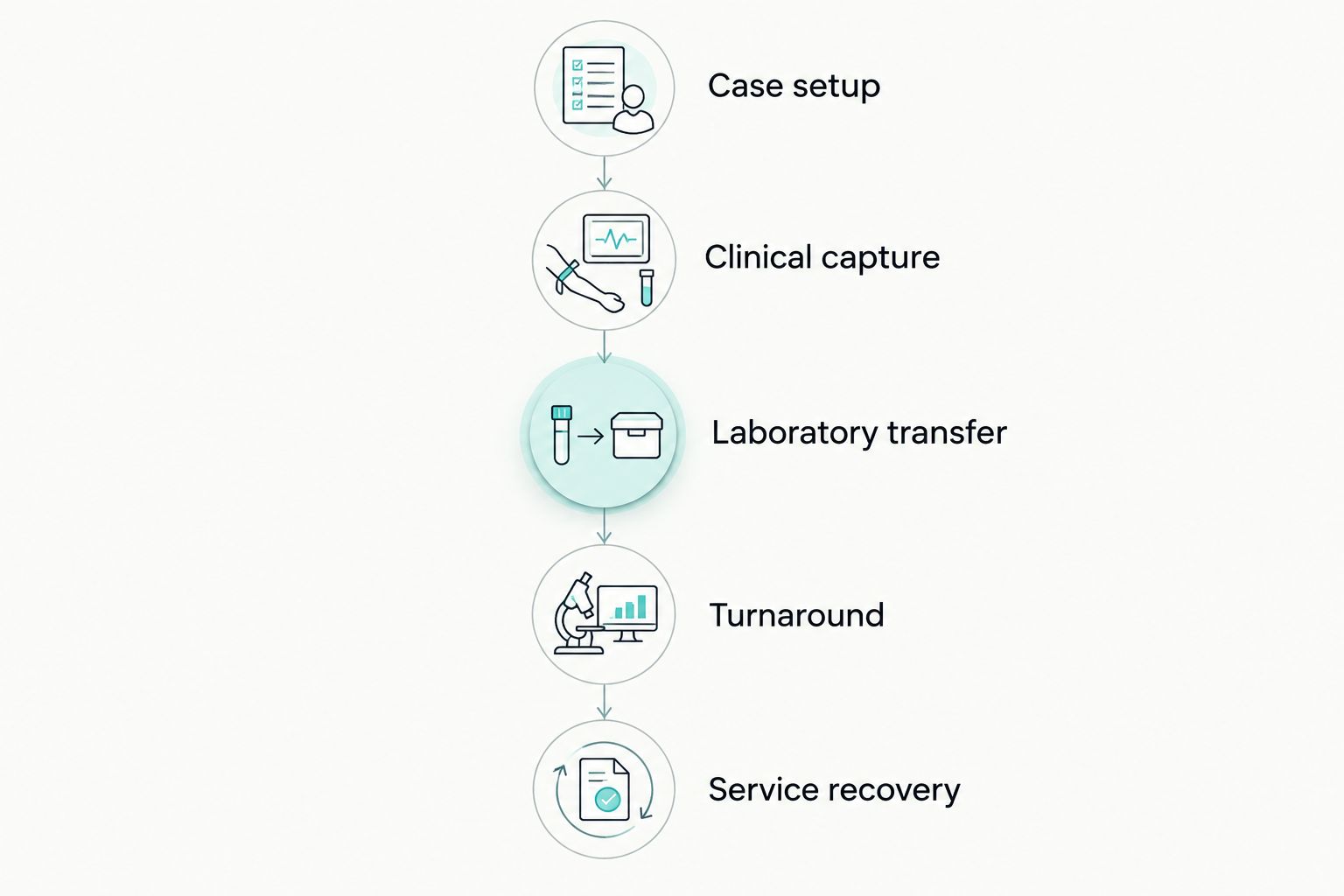
Use a repeatable sequence rather than an open-ended product tour. Your 2026 acceptance record should identify the scanner model, software version, computer configuration and receiving laboratory used in the demonstration.
Case setup
Create a representative case with the intended prescription and patient-record workflow. Confirm how your team selects the correct record and prevents files from being assigned to the wrong case.
Clinical capture
Demonstrate your intended preparation, arch or implant workflow with the appropriate accessories. Inspect margin visibility, missing surfaces and the process for correcting incomplete acquisition; do not substitute a smooth demonstration model for every clinical question.
Laboratory transfer
Export or transmit the case through the proposed route. Have your laboratory open it, identify the files and confirm that the prescription and required supporting information arrived together.
Turnaround
Complete the prescribed cleaning and tip-reprocessing workflow. For a wireless scanner, include the charging handoff and show how the next operator identifies equipment ready for use.
Service recovery
Ask the supplier to explain the response to a failed handpiece, damaged tip, computer fault or interrupted software access. Record who handles each issue and what information the practice must provide.
Compare ownership terms, not just scanner hardware
A scanner proposal should distinguish equipment, software access, computer requirements, accessories and service responsibilities. Ask which components are included and which require separate agreements; do not infer those terms from the scanner name.
For warranty review, request the actual document for the quoted model. Check the covered components, exclusions, claim procedure, shipping responsibilities and repair arrangements without assuming that accidental damage or a replacement unit is included.
For software, establish what happens when an agreement ends. Ask about access to existing cases, export rights, updates and any functions tied to continuing payments.
Send these requirements through the equipment enquiry page before approving the order. Proelitedental should receive your intended indications, laboratory details, computer environment and room-sharing plan so the enquiry addresses a defined configuration.
How the shortlist is ranked
Helios 700 ranks first because its explicit wireless identification matches the query. Helios 680 and Helios 500 occupy separate comparison slots based on documented reusable-tip identification and tip dimensions, respectively.
This is a specification-led shortlist, not a clinical accuracy or speed league table. No measured head-to-head performance result supports a broader ranking here.
Which wireless intraoral scanner should you choose?
Start with Helios 700 when wireless operation is a firm requirement. Keep Helios 680 and Helios 500 in the evaluation only if you are also considering alternatives whose connection methods still need confirmation.
For a 2026 purchase, approve the scanner only after your laboratory accepts a demonstration case and your team completes the operating and reprocessing handoffs. A cordless handpiece is useful only when the surrounding workflow is ready.
FAQ
What's the best wireless intraoral scanner to shortlist here?
Helios 700 is the first wireless intraoral scanner to shortlist because it is explicitly identified as wireless. Confirm its suitability through a demonstration covering your intended cases, computer setup and laboratory transfer.
Are Helios 680 and Helios 500 wireless scanners?
Wireless operation is not established for Helios 680 or Helios 500 in the product information used here. Confirm the connection method in writing before including either in a wireless-only comparison.
Is a wireless intraoral scanner better for multiple operatories?
Wireless operation alone does not establish suitability for multiple operatories. Demonstrate handpiece movement, computer access, patient-record selection, charging and reprocessing across the rooms you intend to use.
What tip sizes are listed for Helios 500?
Helios 500 tips are listed as large at 22 × 18 mm and small at 18.6 × 16.7 mm. Evaluate installed access directly because those dimensions do not describe the entire handpiece or prove posterior reach.
Can I use the same tips across different Helios scanners?
Do not assume Helios tips interchange across models. The listed accessories identify specific scanner models; request written compatibility confirmation for the exact tip and scanner combination.
What should my laboratory check before I buy an intraoral scanner?
Your laboratory should open a representative demonstration case through the proposed transfer route. Confirm file acceptance, prescription details and any indication-specific requirements before purchase.
What warranty should I request with a wireless scanner?
Request the written warranty for the exact quoted scanner. Review covered components, exclusions, claim handling, shipping responsibilities and repair arrangements rather than assuming blanket coverage.
One last thing
Make laboratory receipt—not completion of scanning—the end of your demonstration. Ask the receiving technician to open the case while the demonstrator is still present; that is the point where file compatibility becomes an observed result rather than a verbal assurance.