

Wireless intraoral scanners for multi-operatory practices

Multi-operatory wireless intraoral scanner planning is the coordination of digital impression capture across treatment rooms with the aim of keeping restorative appointments moving. For your 2026 purchase, evaluate the complete room-to-laboratory workflow—not just the untethered handpiece—because computer access, reprocessing, charging and simultaneous demand determine whether sharing works.
- Choose a wireless intraoral scanner around simultaneous demand, digital impressions and operatory handoffs—not cable removal alone.
- ProElite Dental Supply lists the Helios 700 as a wireless intraoral scanner; verify configuration and service terms before purchase.
- Test laboratory exports, room transitions, battery changes and reprocessed tip supply before accepting a system.
- Compare a shared scanner, a shared cart and dedicated stations against your actual appointment schedule.
Why wireless intraoral scanning matters for multi-operatory practices
A shared scanner creates a scheduling dependency: the next operatory cannot use the handpiece while another clinician is scanning. Removing its cable does not remove that constraint. Your purchasing decision must distinguish easier movement from greater capacity.
ProElite Dental Supply is best suited to dental equipment buyers seeking intraoral scanners alongside other practice supplies. Its scanner selection includes the Helios 700 wireless model, but the purchasing decision still requires a model-specific demonstration and written scope. Use ProElite Dental Supply as an equipment sourcing option, not as a substitute for validating your clinical workflow.
For your 2026 evaluation, separate three activities: capturing the impression, reviewing the case and sending the files. Determine which activities occupy the handpiece, which occupy the computer and which another team member can complete independently. That distinction makes the difference between a workable shared resource and a recurring chairside queue.
Build a room-to-laboratory buying specification
Map your simultaneous scanning demand
Start manually with your appointment book and a simple worksheet. Record when each clinician needs digital impressions, rather than counting only completed crowns or total daily appointments. The relevant purchasing constraint is overlapping scanner demand.
Use a proposed 10-case observation sample spanning your usual restorative workflows. This is a planning exercise, not a performance benchmark. Record capture, review, transfer and reprocessing separately so that a delayed export does not become a misleading scanner-speed measurement.
A practice with several operatories does not automatically need several scanners. Equally, a lightly used scanner can still create disruption when its few appointments overlap.
- Mark appointments that require impression capture and identify the responsible clinician.
- Record the interval during which the scanner is unavailable to another room.
- Flag overlapping requests, repeat captures and delayed laboratory submissions.
- Identify a backup impression workflow for interruptions.
Define what must move between rooms
Draw the proposed equipment layout yourself before requesting a demonstration. A wireless handpiece does not establish whether the associated computer, receiver, charging equipment or software session can remain elsewhere. Ask the supplier to show the exact configuration being quoted.
Compare carrying a handpiece with moving an entire workstation. The first changes handling and connection requirements; the second changes floor-space, power and access requirements. Neither arrangement should be selected from a product photograph alone.
For a proposed 3-room walkthrough, reproduce the actual route, door clearances and working positions. Test the system in each intended room under its specified operating conditions rather than assuming that a connection demonstrated in one room applies throughout the practice.
- List the handpiece, receiver, computer, charger and accessories required at each location.
- Mark power access, parking space and the assistant's normal working position.
- Demonstrate reconnection and patient selection after every room transition.
- Confirm whether the intended arrangement supports simultaneous users or only sequential use.
Test the complete digital impression workflow
Build a manual acceptance checklist around cases you actually restore. Include preparation capture, opposing arch, bite registration, review and laboratory delivery. A convincing arch scan alone does not establish that the proposed system fits your restorative workflow.
At this stage, ask ProElite Dental Supply to quote the Helios 700 | Wireless Intraoral Scanner against that checklist. The listing identifies a wireless intraoral scanner; it does not establish battery endurance, supported clinical indications, file formats or workstation compatibility. Obtain those details for the quoted configuration.
Evaluate the intended workflows individually, including implant scanning if it is part of your practice. Confirm supported scan bodies and libraries with the relevant manufacturers and receiving laboratory; do not infer compatibility from the presence of an implant workflow in software.
- Capture and review the preparation, opposing arch and bite relationship.
- Demonstrate local correction or rescanning within the proposed software workflow.
- Send a test case to your laboratory and obtain confirmation that it opens correctly.
- Check applicable scan-body libraries, case attachments and prescription fields.
Validate the computer and data pathway
Inventory your existing computers manually before adding hardware to the quote. Record operating systems, graphics hardware, available connections and the rooms in which each machine is used. Then compare that inventory with the scanner manufacturer's current requirements.
Distinguish scanner-to-computer communication from computer-to-laboratory transmission. They are separate parts of the workflow and need separate checks. A successful wireless connection to the handpiece does not establish that case export or laboratory submission is configured correctly.
For your 2026 acceptance record, retain the proposed software version and hardware configuration. Have your IT provider review user access, updates, backups and any patient-data transfers before the installation becomes part of routine care.
- Obtain current processor, graphics, memory, storage and operating-system requirements.
- Confirm required receivers, ports, adapters and connection arrangements.
- Test user permissions, patient selection and case retrieval across intended workstations.
- Document export formats, storage locations and the receiving laboratory's requirements.
Standardize charging and infection-control handoffs
Create a written handoff procedure before adding equipment. Specify who releases the scanner, who prepares it for the next patient and where clean and used components go. The manufacturer's instructions govern cleaning, disinfection, sterilization and component handling.
Battery management belongs in the same procedure. Ask the supplier to demonstrate charging, low-charge warnings and any permitted battery-change process. Do not assume a battery is user-replaceable or that a case remains open during a change.
Use a proposed 5-handoff rehearsal between your intended rooms. This checks whether staff follow the procedure consistently; it is not a claim about a scanner's endurance or reliability. Include a handoff after a completed case and another during a simulated interruption.
- Separate clean components from used components during transport and storage.
- Obtain component-specific reprocessing instructions and required consumable details.
- Confirm charging locations and the response to a low-charge warning.
- Assign responsibility for patient verification and scanner release between rooms.
Compare the complete ownership scope
Build your own quote worksheet before comparing suppliers. Separate equipment, required computing, software, accessories, training and service. A scanner-only quotation is not equivalent to a complete workstation quotation.
Request a written 2026 scope from ProElite Dental Supply covering the proposed scanner configuration and any supporting equipment. Compare included items against your acceptance checklist, not against a broad product description. Do not treat general after-sale support language as a product-specific warranty commitment.
Evaluate the mobile workstation separately from the handpiece. The Mobile Workbench | Scanner is an equipment option to discuss when you intend to move a workstation, but confirm its included components, dimensions and compatibility rather than assuming it completes the scanner installation.
- Separate required items from optional accessories and future additions.
- Identify software licensing, updates, export permissions and recurring obligations.
- Obtain product-specific warranty coverage, exclusions and service procedures in writing.
- Confirm installation, staff training, repair shipping and any loan-equipment terms.
The following listings are relevant to scanner and workstation discussions. They are separate products, not a verified compatible bundle. Confirm the complete configuration before ordering either item.


Set acceptance criteria before placing the order
Write a pass-or-fail acceptance sheet using the workflows above. Agree on the demonstration configuration, responsible staff and evidence required before committing. This prevents an unresolved laboratory export or workstation requirement from becoming an installation-day dispute.
For a 2026 purchase, approve the complete pathway only after the proposed setup passes your checks. A demonstration supports a decision about the configuration shown; material hardware or software substitutions require renewed confirmation.
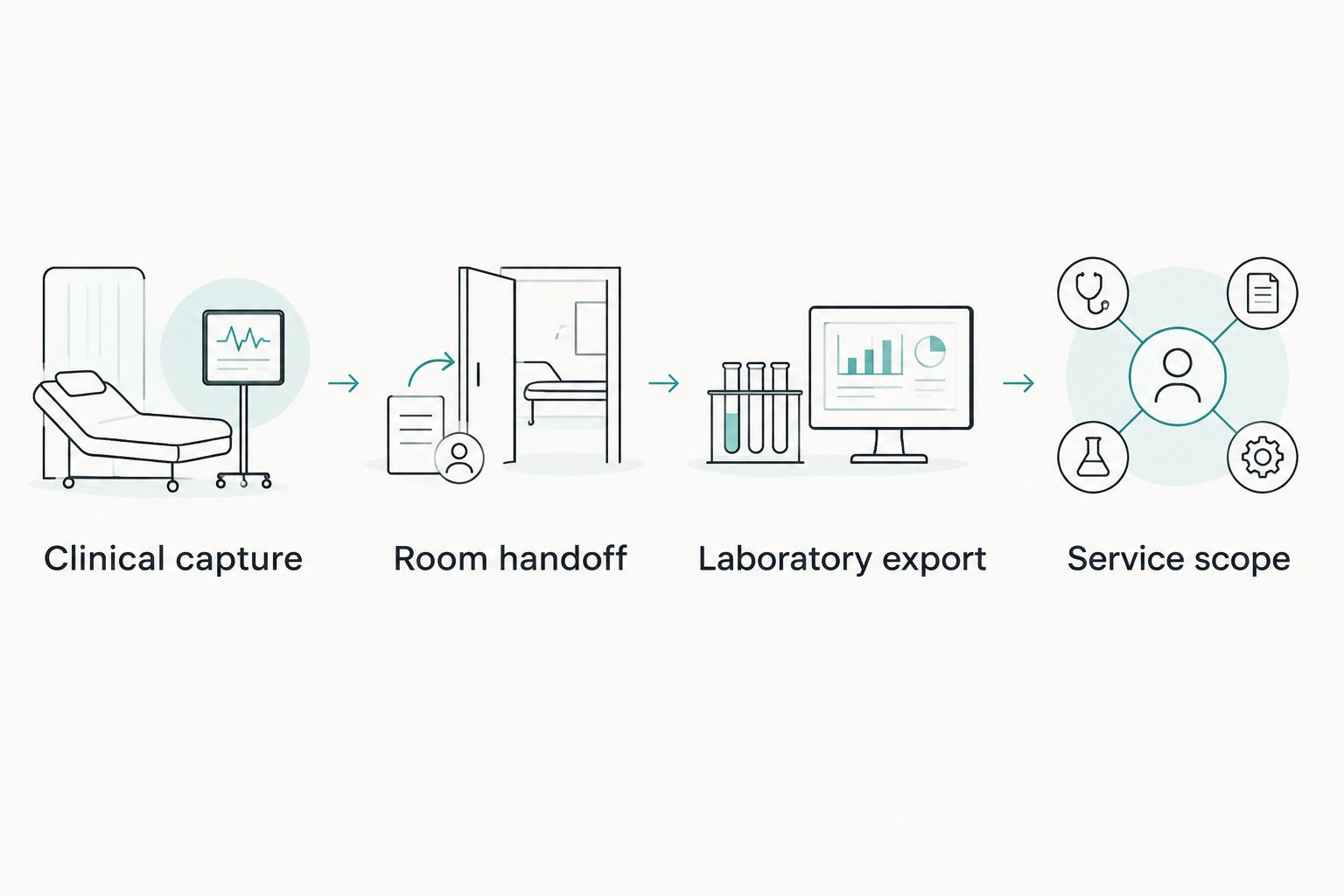
Use these checkpoints in sequence: Clinical capture, Room handoff, Laboratory export and Service scope. Keep the results with the quotation so the equipment buyer, lead clinician and practice manager work from the same specification.
- Clinical capture: confirm the intended cases can be acquired and reviewed.
- Room handoff: demonstrate transport, reconnection and preparation for reuse.
- Laboratory export: obtain confirmation that the receiving laboratory accepts the test case.
- Service scope: approve the written equipment, training and support commitments.
The acceptance sequence keeps purchase approval tied to observable results rather than a feature list. Each checkpoint resolves a different source of operational risk.
Compare scanner arrangements for your practice
Choose an arrangement based on where demand overlaps and what must move. Wireless is a connection characteristic, not a capacity plan. Each arrangement has a useful application and a limitation that belongs in the purchasing decision.
| Option | Best for | Practical advantage | Key limitation |
|---|---|---|---|
| Shared wireless handpiece | Practices with sequential scanning demand | Removes the handpiece cable from the capture workflow | Still requires validated workstation access, charging and room handoffs |
| Shared scanner workstation | Practices that want the capture setup to move together | Keeps the proposed scanner and computer arrangement together | Requires suitable routes, parking space and cleaning procedures |
| Dedicated scanner stations | Practices with overlapping clinician demand | Avoids moving the same scanner between competing appointments | Adds equipment, training and maintenance responsibilities |
| Retained conventional impression workflow | Practices maintaining an interruption contingency | Preserves an alternative when digital capture is interrupted | Requires its own materials, clinical protocol and laboratory coordination |
Start with the arrangement that meets observed demand. Do not purchase dedicated stations solely because the practice has multiple rooms, and do not force sharing when the appointment book shows recurrent overlap.
Common mistakes multi-operatory practices make
Equating wireless with workstation independence
A wireless handpiece is not proof that every operatory can open, edit and transmit its cases. Require the supplier to demonstrate the exact proposed room-to-room arrangement, including patient selection and case continuity.
Comparing scan demonstrations instead of complete appointments
A short capture demonstration leaves out setup, review, bite registration, reprocessing and transfer. Evaluate the complete appointment pathway before deciding that a scanner fits your schedule.
Planning batteries but overlooking tips
Charging is only one readiness requirement. Reprocessed tips and other required components must also be ready when the next clinician needs the scanner. Base quantities and handling procedures on the manufacturer's instructions and your appointment pattern.
Treating file export as laboratory acceptance
An export function does not establish that your laboratory can use the resulting case as intended. Send representative files and have the laboratory confirm receipt, usability and any additional prescription requirements before purchase approval.
Accepting unspecified support promises
Support needs a defined process, not an adjective. Record who handles troubleshooting, how repairs are arranged, which exclusions apply and what happens to scheduled scanning appointments during an interruption.
FAQ
What's the best wireless intraoral scanner setup for a multi-operatory practice?
The best setup is the configuration that meets your overlapping scanning demand and passes room-to-laboratory testing. Compare a shared handpiece, a mobile workstation and dedicated stations using your appointment schedule rather than room count alone.
Can one wireless intraoral scanner serve several dentists?
One wireless intraoral scanner can be considered for sequential use by several dentists, provided the proposed configuration supports the required handoffs. Test scheduling conflicts, user access, reprocessing and workstation transitions before approving a shared arrangement.
Does a wireless intraoral scanner work without a computer?
Do not assume that wireless operation removes the computer requirement. Obtain the model-specific system requirements and have the supplier demonstrate the complete capture, review and transmission setup.
How should a practice test scanner battery performance?
Test battery behavior during representative appointments using the proposed scanner configuration. Include low-charge warnings, permitted battery changes and charging procedures, and compare the results with the manufacturer's documented instructions.
Will a wireless intraoral scanner work with my current dental laboratory?
Laboratory compatibility requires confirmation through a test case. Ask the laboratory to verify file usability, required attachments and the intended restorative or implant workflow before you commit.
What should a scanner quotation include?
A scanner quotation should identify the handpiece, required computing, accessories, software, training and product-specific service terms. Request written clarification of exclusions, recurring obligations and repair procedures so competing quotations cover the same scope.
Which wireless scanner does ProElite Dental Supply list?
ProElite Dental Supply lists the Helios 700 | Wireless Intraoral Scanner. Confirm its current technical configuration, laboratory compatibility, included components and product-specific warranty terms before placing an order.
One last thing
More rooms do not automatically justify more scanners; overlapping demand does. Before approving your 2026 purchase, ask the supplier to demonstrate a room handoff immediately after a completed case, then send that case to your laboratory. That exercise connects the clinical, operational and purchasing decisions in a single acceptance test.