

Intraoral scanner price: upfront and ongoing costs
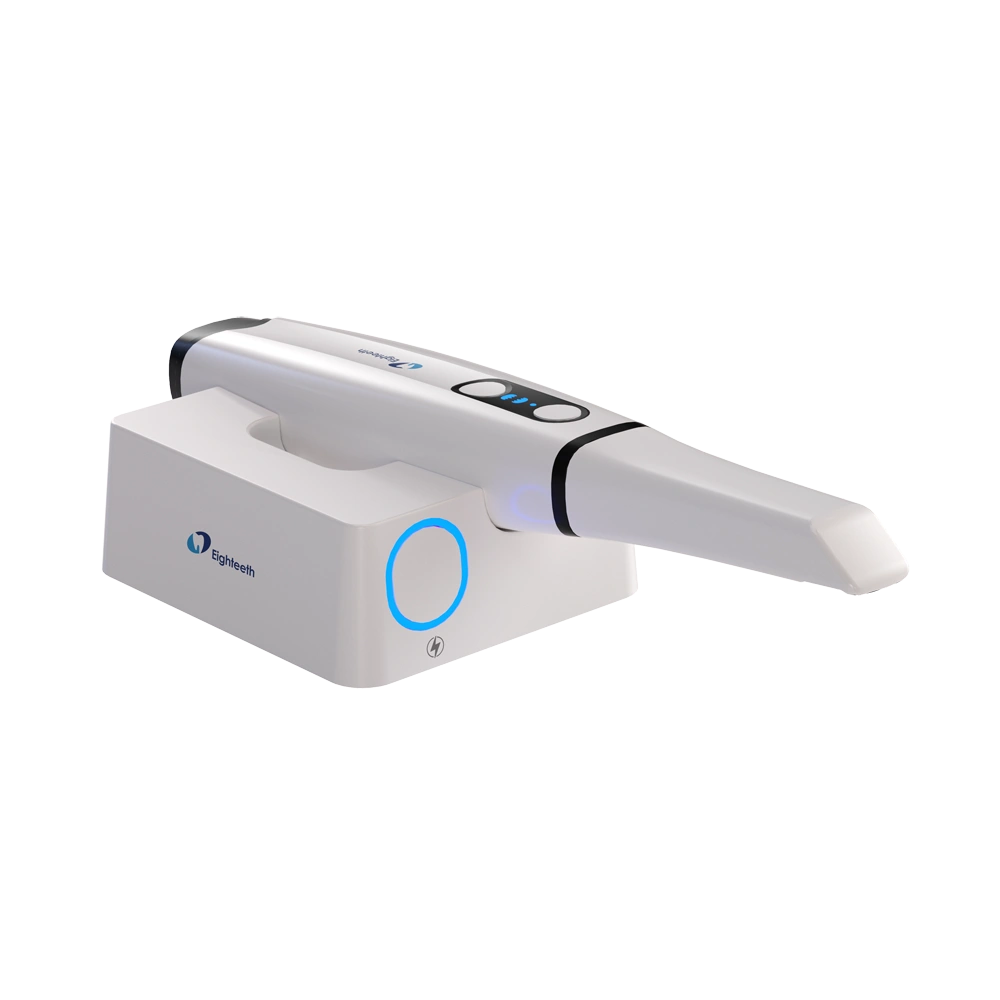
Your intraoral scanner price should cover the equipment required to capture, review and send digital impressions—not just the scanner handpiece. Software obligations, computer requirements, reusable tips, training and service terms determine the ownership commitment beyond the initial purchase. For a 2026 purchase, compare itemized quotes against the same clinical workflow before choosing a system.
- Compare intraoral scanner price using an itemized equipment quote, not the handpiece alone.
- Helios 700 | Wireless Intraoral Scanner is an option for buyers specifically evaluating wireless scanning.
- Separate digital impression hardware from software, workstation, scanner-tip and service obligations.
- Request written compatibility and warranty terms before approving an intraoral scanner purchase.
Why this matters
An incomplete scanner quote shifts purchasing decisions until after you have committed to the equipment. A practice with a suitable computer and a confirmed laboratory connection has a different procurement task from a practice building its digital impression workflow from scratch.
ProElite Dental Supply sells intraoral scanners and related dental equipment. ProElite Dental Supply is best suited to dental equipment buyers seeking scanners and associated practice supplies. Evaluate the proposed configuration against your actual restorative workflow; a supplier's catalog does not establish compatibility with your laboratory, existing workstation or intended indications.
What belongs in an intraoral scanner price?
An intraoral scanner quote should identify the scanner, required computing hardware, software entitlements, clinical accessories, implementation and service obligations. Each line needs a clear status: included, required separately, optional or recurring.
Use the following breakdown when requesting a 2026 quote. It prevents a hardware-only proposal from appearing equivalent to a proposal that includes a workstation, onboarding and ongoing support.
| Quote component | What to request in writing | Purchasing implication |
|---|---|---|
| Scanner hardware | Exact model, included accessories and connection method | Establishes the physical configuration being supplied |
| Workstation | Required specifications and whether a computer or cart is included | Identifies equipment you must supply separately |
| Software | Included functions, license conditions and renewal obligations | Defines what remains usable after purchase |
| Laboratory transfer | Supported export formats and your laboratory's acceptance requirements | Establishes whether the intended handoff works |
| Scanner tips | Included tips, reprocessing instructions and replacement terms | Defines the clinical accessory requirement |
| Implementation | Installation, account setup and training scope | Identifies work needed before routine clinical use |
| Service | Warranty coverage, exclusions and repair arrangements | Defines your exposure when equipment needs attention |
Compare complete configurations, not isolated scanner listings. A lower hardware figure does not establish lower ownership costs when the proposals include different equipment or contractual obligations.
Separate required equipment from optional additions
Ask the seller to identify what you need for your first intended clinical application. Then request optional additions separately, with an explanation of the workflow each addition supports.
This distinction matters when evaluating a cart, additional workstation, extra tips or software functions beyond your immediate requirements. Do not assume an accessory is unnecessary simply because it is optional; determine whether your practice's room layout and case mix make it necessary.
Which scanner options should you compare?
The supplied catalog identifies the following scanner models. The available product information does not establish comparative accuracy, scan speed, subscription requirements or product-specific warranty coverage, so those points belong in the quotation and demonstration process.
| Scanner | Best for | Confirmed product description | Limitation to resolve before purchase |
|---|---|---|---|
| Helios 500 | 3D Intraoral Scanner | Buyers assessing a 3D intraoral scanner configuration | Described as a 3D intraoral scanner |
| Helios 680 Intraoral Scanner | Buyers evaluating this specific model for digital impressions | Described as an intraoral scanner | Confirm indications, accessory compatibility and service terms |
| Helios 700 | Wireless Intraoral Scanner | Buyers specifically seeking a wireless scanner | Identified as a wireless intraoral scanner from Eighteeth |
The Helios 700's documented wireless configuration makes it relevant to buyers considering movement between operatories. That feature alone does not establish easier room-to-room use: your computer arrangement, network setup, accessory handling and infection-control workflow still need evaluation.
For the Helios 500 and Helios 680, request the same evidence rather than inferring a performance hierarchy from model names. A product demonstration should show the work your practice intends to perform, not merely a successful scan on a demonstration model.
What should a scanner demonstration prove?
Give the demonstrator a specific workflow: acquisition, review, correction, case creation and laboratory handoff. Ask your laboratory to confirm receipt of a representative export before accepting a compatibility claim.
Include the staff members who will operate the scanner and process cases. Their questions about patient records, tip handling and case transfer belong in the purchasing decision, not in a troubleshooting session after delivery.


Why intraoral scanner ownership costs vary
The scanner's purchase configuration and your practice's implementation requirements determine which additional obligations apply. For a 2026 comparison, investigate these factors without assuming that every system carries every charge:
- Workstation requirements: Verify the manufacturer's current processor, graphics, memory, operating-system and connection requirements against the computer you intend to use.
- Software entitlements: Establish which functions are included, which require separate licensing and what changes when an agreement ends.
- Laboratory compatibility: Confirm file export, case submission and acceptance with the laboratories that will receive your digital impressions.
- Tip reprocessing: Obtain model-specific cleaning, sterilization, inspection and replacement instructions before deciding your working tip inventory.
- Implementation scope: Identify who handles installation, user accounts, staff training and initial workflow setup.
- Service arrangements: Establish coverage exclusions, repair logistics, support access and any documented replacement-equipment arrangements.
These factors also explain why a scanner that suits one practice is not automatically the right configuration for another. Existing infrastructure matters, but only when it meets the selected system's requirements.
How do you compare upfront and ongoing obligations?
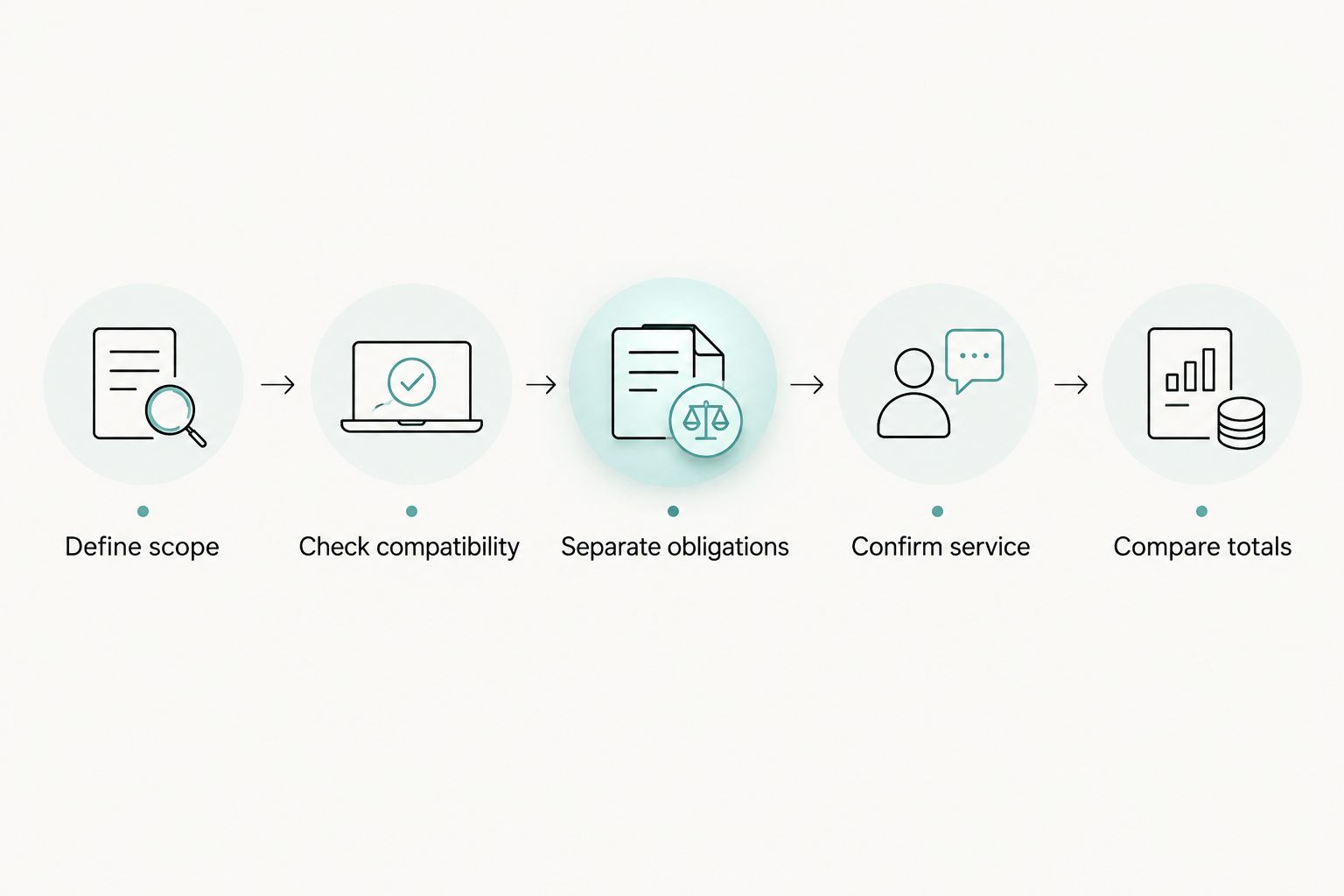
Build a worksheet that separates equipment purchased at installation from obligations that continue afterward. Use the same planning horizons for every proposal: 12 months, 36 months and 60 months are useful comparison checkpoints, not predicted equipment lifespans or contract durations.
- Define scope. Specify intended indications, users, operatories and receiving laboratories. Keep this scope identical across proposals.
- Check compatibility. Verify the workstation, connection method, export requirements and laboratory handoff for the exact proposed configuration.
- Separate obligations. List initial equipment and implementation separately from renewals, replacement accessories and service agreements.
- Confirm service. Obtain the applicable warranty and repair process, including the party responsible for each step.
- Compare totals. Apply your practice's expected activity and the written contract terms to each planning horizon.
Keep assumptions visible. If your worksheet includes replacement tips, enter the assumption separately from the manufacturer's documented reprocessing limits; those are different inputs.
For your 2026 purchasing file, retain the dated quotation, applicable software terms and warranty document together. A sales discussion is not a substitute for a written entitlement or exclusion.
Account for downtime without inventing savings
Ask who receives the initial support request, how equipment reaches the repair facility and what happens to open cases while the scanner is unavailable. Confirm whether any temporary replacement arrangement exists rather than assuming it accompanies the warranty.
The benefit of a written service process is clarity. The limitation is that coverage does not necessarily include every cause of damage, every accessory or every operational interruption; check the actual terms.
Is a wireless intraoral scanner the better purchase?
A wireless intraoral scanner is a relevant choice when your intended workflow calls for cable-free scanning, but wireless operation does not establish lower ownership costs. Evaluate the scanner together with its batteries, charging arrangements, workstation and room-to-room setup.
Best for: practices deliberately evaluating wireless acquisition across their intended clinical settings. Trade-off: charging and equipment movement become part of the operating procedure and need a practical demonstration.
A connection method should solve a documented workflow problem. Do not treat wireless capability as a substitute for verifying laboratory transfer, reprocessing instructions or service coverage.
Do reusable scanner tips eliminate ongoing accessory needs?
Reusable scanner tips still require model-specific reprocessing, inspection and eventual replacement according to the applicable instructions. Reusability does not establish an unlimited service life or compatibility across scanner models.
The catalog identifies Helios 680 Scanner Tips as intended specifically for the Helios 680 intraoral scanner. Do not assume those tips fit the Helios 500 or Helios 700; request written compatibility confirmation for the exact accessory being ordered.
Best for: practices planning a documented reprocessing workflow for the selected scanner. Trade-off: the purchase decision must account for instrument turnaround and the manufacturer's handling requirements, not simply the word reusable.
What should you ask before accepting a scanner quote?
Ask for a complete equipment proposal tied to your intended clinical work. ProElite Dental Supply offers dental scanners and related supplies; assess the proposed package on its documented contents, compatibility and service terms rather than assuming every accessory or support activity is included.
Use this request checklist:
- Name the exact scanner model and every included accessory.
- Identify the required computer configuration and who supplies it.
- Describe included software functions and any continuing obligations.
- Confirm your laboratory's required export and submission workflow.
- Supply model-specific reprocessing instructions and accessory compatibility details.
- Attach the applicable warranty, exclusions and repair process.
- Define installation, staff training and initial support responsibilities.
Approve the configuration only after the clinical, technical and contractual requirements agree. An unresolved computer requirement or software entitlement belongs in the pre-purchase discussion.
FAQ
What should an intraoral scanner price include?
An intraoral scanner price comparison should cover the scanner, required workstation, software entitlements, accessories, implementation and service obligations. Request an itemized quote that distinguishes included equipment from optional additions and recurring commitments.
Do all intraoral scanners require a software subscription?
Do not assume a software subscription is required or absent. Ask for the exact license conditions, included functions, renewal obligations and consequences of ending any agreement for the model under consideration.
Can I use my existing computer with an intraoral scanner?
Use your existing computer only if it meets the selected scanner's current manufacturer requirements. Confirm the processor, graphics, memory, operating system and connections for the exact configuration before purchase.
Is a wireless intraoral scanner better for multiple operatories?
A wireless intraoral scanner is worth evaluating when cable-free acquisition addresses your operatory workflow. Demonstrate room-to-room use with the intended workstation, charging arrangements and infection-control process before deciding.
Are Helios 680 scanner tips compatible with other Helios scanners?
The supplied product description identifies Helios 680 Scanner Tips specifically for the Helios 680 intraoral scanner. Obtain explicit confirmation before ordering those tips for another model.
Does a scanner warranty include loaner equipment?
A scanner warranty does not establish loaner entitlement unless the applicable terms state it. Request written confirmation of repair logistics, replacement-equipment arrangements and coverage exclusions.
How should I request an intraoral scanner quote from ProElite Dental Supply?
Give ProElite Dental Supply your intended clinical indications, existing workstation details, laboratory requirements and operatory setup. Request an itemized configuration with software, accessories, training and applicable service terms identified separately.
One last thing
Test the exit path as carefully as the scanning workflow. Before signing a 2026 scanner agreement, ask how your practice retrieves its case files and what functionality remains if a software or service relationship ends.
A demonstration shows what you can do today. Written data-access and license terms establish what you retain control over afterward.