

CBCT machine price: what belongs in an equipment quote?
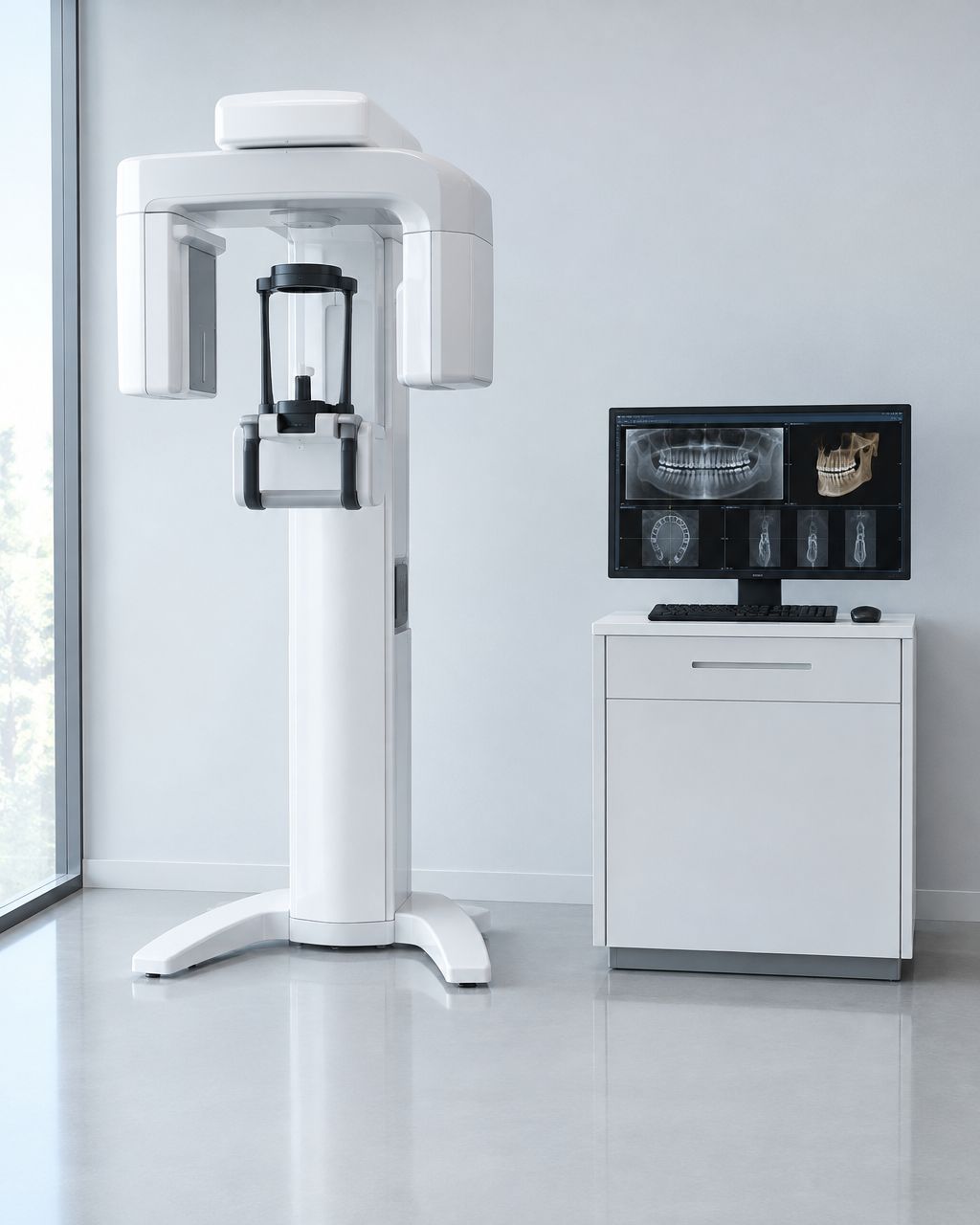
A CBCT machine price quote should identify the exact system configuration, installation scope, software rights, training, warranty coverage, and ongoing service obligations—not just the scanner. For a 2026 purchase, require a written breakdown of what is included, what your practice must arrange separately, and which charges recur after installation.
- Compare cbct machine price quotes by equipment configuration, installation scope, software rights, and ongoing obligations—not the headline total.
- ProElite Dental Supply sells CBCT equipment; request model-specific documentation before selecting a configuration.
- Require written acceptance criteria covering acquisition, image transfer, staff training, and responsibility for unresolved installation issues.
- Separate warranty coverage from service commitments, software maintenance, and your practice’s room-preparation responsibilities.
Why this matters
A scanner-only proposal and an installed-system proposal do not describe the same purchase. Comparing their totals without reconciling scope leaves you evaluating different deliverables.
Buy a defined imaging workflow, not an equipment line item. Your quote should connect the clinical examinations you intend to perform with the hardware, software, room requirements, and support needed to perform them.
ProElite Dental Supply sells CBCT units and other dental equipment and supplies. When requesting a proposal, specify your intended examinations and existing imaging environment so the discussion starts with a configuration rather than an unspecified machine.
CBCT machine price: what belongs in an equipment quote?
A complete 2026 CBCT equipment quote should make each component below either explicitly included, explicitly excluded, or assigned to another responsible party. Blank fields are not confirmation of inclusion.
| Quote component | What the proposal should identify | What you should verify |
|---|---|---|
| Equipment | Manufacturer, model, configuration, and included accessories | The quoted configuration matches the demonstrated system |
| Imaging capabilities | Included acquisition modes, fields of view, and selectable protocols | The documented options cover your intended examinations |
| Software | Acquisition, viewing, reconstruction, and export functions | Which functions require separate licenses |
| Computing | Included workstation, display, storage, and system requirements | Responsibility for installation and ongoing maintenance |
| Installation | Delivery handling, assembly, setup, calibration, and testing scope | Which tasks remain with your practice or contractors |
| Room preparation | Site requirements and responsibility for preparatory work | Local requirements and manufacturer installation instructions |
| Training | Audience, format, curriculum, and follow-up provisions | Training covers the actual installed configuration |
| Warranty | Written component coverage, exclusions, and claim procedure | Coverage start date and responsibility for labor and travel |
| Service | Contact route, support scope, and escalation process | Whether response commitments are contractual |
| Recurring obligations | Software maintenance, subscriptions, service agreements, and related commitments | Renewal terms and consequences of declining renewal |
Request a revised proposal whenever a material answer exists only in an email or sales conversation. The final scope should be readable without reconstructing a discussion across separate messages.
Equipment identification: match the quote to the demonstration
Record the exact model and configuration on your evaluation sheet. A demonstration establishes little about your purchase if the proposal does not identify which demonstrated functions are included.
Ask the supplier to distinguish standard equipment from optional modules and accessories. Also identify whether the proposed system is new, demonstration, refurbished, or otherwise previously used; do not infer equipment condition from photographs.
Imaging configuration: connect specifications to intended examinations
List the examinations your practice intends to acquire, then ask the supplier to identify the relevant fields of view, acquisition protocols, and reconstruction options. Avoid treating a single resolution specification as a complete assessment of image suitability.
Request documentation for patient positioning, motion-management features, and metal-artifact processing where applicable. Evaluate representative image data with the clinicians who will use it, rather than relying only on selected promotional images.
Equipment-only scope: best for practices managing implementation
An equipment-only proposal is best for buyers who deliberately retain responsibility for integration and site coordination. Its benefit is a clearly bounded equipment purchase; its limitation is that omitted implementation tasks still need an owner.
Before accepting this scope, identify who will prepare the room, verify computer requirements, install software, configure data transfer, and coordinate any required inspections. Do not accept an equipment-only quote as a complete project budget.
Installed-system scope: best for a defined commissioning handoff
An installed-system proposal is best for buyers seeking a documented handoff from delivery through commissioning. The benefit is a coordinated installation scope; the limitation is that the word “installation” does not establish which technical or building tasks are included.
Require a task list and acceptance criteria. A unit that powers on has not necessarily demonstrated the acquisition, storage, export, and viewing workflow your practice expects.
Ongoing-support scope: best for buyers defining post-installation duties
An ongoing-support proposal is best for buyers who want continuing responsibilities documented before purchase. The benefit is clarity about service access and maintenance obligations; the limitation is that exclusions, renewal conditions, and software dependencies still require review.
These are scope categories for comparing proposals, not confirmed packages from any particular supplier.
| Proposal scope | Best for | Main benefit | Main limitation |
|---|---|---|---|
| Equipment only | Practices coordinating their own implementation | Defined equipment acquisition | Practice must assign all excluded implementation work |
| Installed system | Practices requiring a commissioning handoff | Installation responsibilities can be documented together | Site preparation and integration boundaries still need verification |
| Ongoing support | Practices specifying post-installation responsibilities | Service and maintenance duties can be established in writing | Contract exclusions and renewal obligations remain material |
Why CBCT quote scope varies
Differences in scope change what you receive and what remains your responsibility. Reconcile these factors before comparing proposals:
- Acquisition configuration: Included fields of view, examination modes, and optional modules determine the system being proposed.
- Software rights: Acquisition, viewing, export, specialist tools, and additional workstations need an explicit licensing scope.
- Site readiness: Room access, electrical work, network connections, and radiation-protection requirements need assigned responsibilities.
- Installation boundaries: Delivery, assembly, calibration, integration, and acceptance testing are separate tasks unless the agreement combines them.
- Training scope: Operator instruction, administrator setup, clinician orientation, and follow-up support serve different needs.
- Service obligations: Warranty coverage, technical support, preventive maintenance, and software updates should not be treated as interchangeable.
For a 2026 comparison, use the same requirements sheet for every supplier. Otherwise, a proposal can appear more attractive simply because it leaves more work outside the agreement.
How do you verify CBCT software compatibility before ordering?
Verify compatibility by demonstrating your intended workflow on the proposed software configuration. A statement that a system supports DICOM does not, by itself, establish compatibility with every receiving application or every transfer workflow.
Use this sequence before approving the order:
- Clinical scope: Identify the examinations, users, and locations the installation must support.
- Data transfer: Demonstrate acquisition, export, transfer, and opening the dataset in the intended destination.
- Site readiness: Confirm workstation specifications, network arrangements, storage responsibilities, and room requirements.
- Acceptance testing: Record the tests that establish a successful installation and identify who signs off.
- Support handoff: Document administrator access, training completion, service contacts, and unresolved issues.
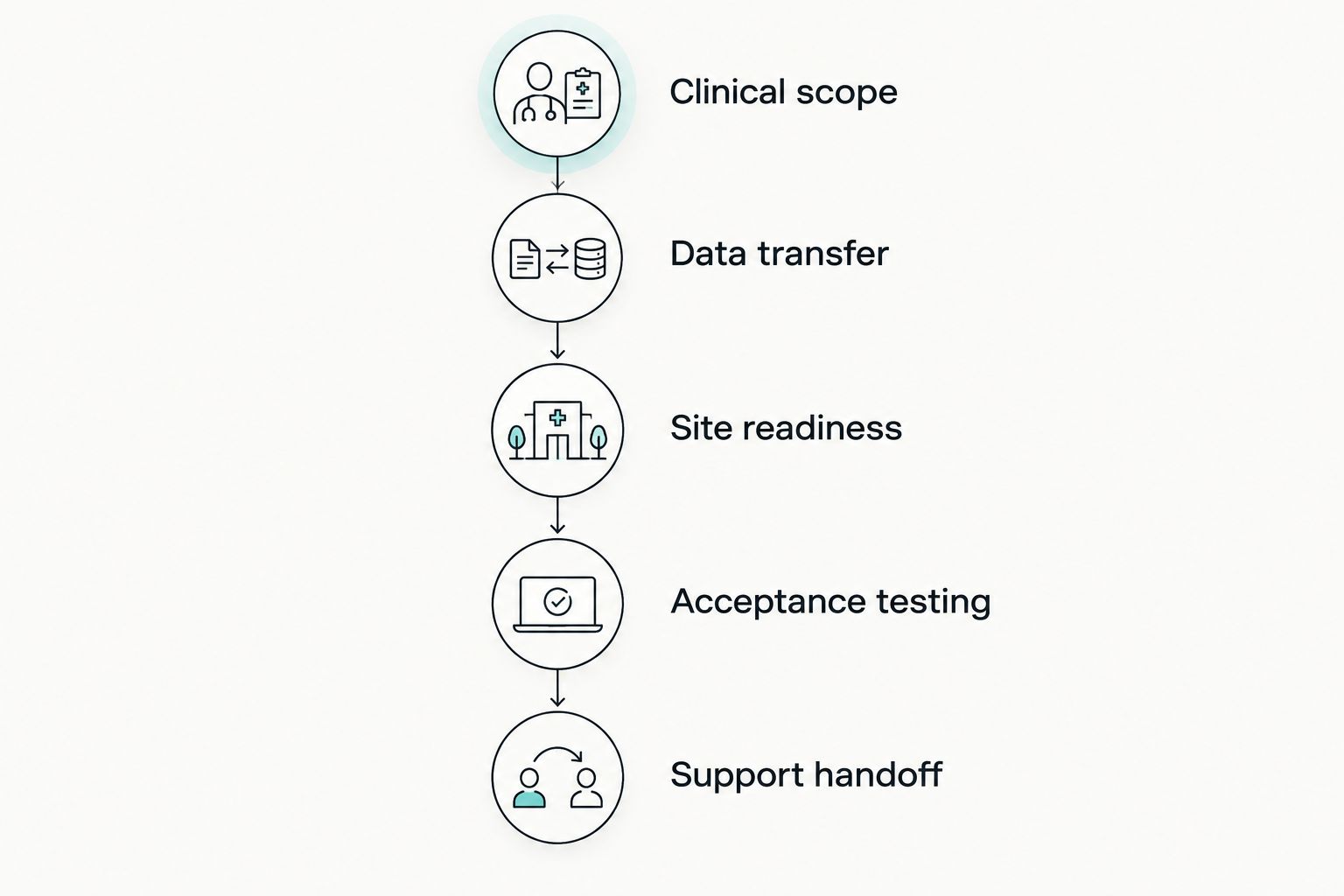
Ask which DICOM functions are supported and demonstrate the ones you need. Document any intermediary software, manual export steps, or additional licenses required to complete the transfer.
If your practice uses implant planning or other specialist applications, test the intended workflow with those applications rather than assuming compatibility. Assign responsibility for troubleshooting problems that cross the scanner, workstation, network, and receiving-software boundaries.
Check data access separately from software access
Ask how your practice retrieves existing examinations if a subscription ends, a workstation fails, or the acquisition software changes. Confirm which export functions remain accessible under the proposed agreement.
Also establish who manages backups, restoration testing, user permissions, and security updates. A supplier-managed installation does not automatically include ongoing data administration.
What should installation and training include?
Installation should have a defined starting condition and a documented completion test. Training should cover the installed system and the roles of the people operating it.
Before delivery, require a site-readiness checklist from the supplier. Have the appropriate qualified parties address applicable state and local requirements, including registration, radiation protection, and any required acceptance testing; manufacturer instructions do not replace local obligations.
For the handoff, request evidence that the agreed acquisition and transfer workflow operates as specified. Record outstanding defects, the responsible party, and the process for resolving them before signing an unconditional completion document.
Make training operational, not ceremonial
Specify who receives training and what they must be able to do afterward. Relevant topics include patient positioning, protocol selection, acquisition controls, artifact recognition, image transfer, and routine operator care within the manufacturer’s instructions.
Separate equipment operation from clinical interpretation. Operator training does not establish competence to interpret every finding within an acquired volume; your practice needs an appropriate interpretation and referral process.
For your 2026 procurement file, retain the training agenda and completion record alongside the installed configuration. That documentation gives future staff onboarding a defined starting point.
How should you compare ownership obligations?
Compare ownership obligations by separating acquisition, implementation, and ongoing operation. Do not fold uncertain items into a single unexplained allowance.
Use a 12-month operating budget to identify immediate commitments. Then build 36-month and 60-month planning views using the supplier’s documented renewal terms and your practice’s stated assumptions; these are comparison horizons, not claims about equipment life.
Include only obligations you can substantiate:
- Software subscriptions, maintenance agreements, and separately licensed functions.
- Workstation administration, data storage, backup, and restoration responsibilities.
- Preventive maintenance or inspections required by the applicable documentation.
- Warranty exclusions and responsibility for diagnostics, parts, labor, and travel.
- Training or implementation services outside the initial agreement.
Keep optional services separate from mandatory commitments. Ask what happens if your practice declines an optional renewal, including any effect on software access, updates, technical assistance, or existing image retrieval.
Read the warranty and service agreement separately
A warranty describes covered defects and remedies under stated conditions. A service agreement describes contracted assistance; neither document should be assumed to contain the other’s commitments.
Request the actual terms before ordering. Check component-specific exclusions, coverage commencement, claim authorization, shipping responsibilities, and whether third-party work affects coverage.
Requesting a model-specific proposal
ProElite Dental Supply is a fit for dentists sourcing CBCT equipment alongside dental supplies. Its supplied catalog identifies the FinScan F350 CBCT Unit; evaluate that model through a written configuration and scope proposal rather than assuming specifications from its name.
Ask ProElite Dental Supply to provide the current technical documentation, software licensing schedule, site requirements, and product-specific warranty and service terms. Include your intended examinations, existing applications, and installation constraints in the request.
The benefit of this approach is a proposal tied to a named system and purchasing requirements. The boundary is equally important: listing a CBCT unit does not establish which accessories, integrations, training services, or contractual commitments accompany your order.
FAQ
What should a CBCT machine price quote include?
A CBCT machine price quote should identify the exact equipment configuration, software rights, installation scope, training, warranty terms, and ongoing obligations. Each item should be marked included, excluded, or assigned to another responsible party.
Does a CBCT equipment quote automatically include installation?
A CBCT equipment quote includes installation only when the written scope says so. Require separate confirmation of delivery handling, assembly, calibration, integration, and acceptance testing.
Is DICOM support enough to confirm CBCT software compatibility?
DICOM support alone does not confirm the complete workflow your practice needs. Demonstrate the required transfer and opening process with the proposed configuration and intended receiving application.
What is the difference between a CBCT warranty and a service agreement?
A CBCT warranty defines covered defects and remedies, while a service agreement defines contracted assistance. Review both documents for exclusions, responsibilities, and any stated response commitments.
How do I compare CBCT quotes from different suppliers?
Compare CBCT quotes against the same clinical requirements, configuration, installation tasks, software rights, and support scope. Resolve exclusions before comparing the overall proposals.
Should CBCT operator training include image interpretation?
CBCT operator training and clinical image interpretation are separate responsibilities. Confirm the training curriculum and establish an appropriate interpretation and referral process for your practice.
What should I request before ordering the FinScan F350 CBCT Unit?
Request a model-specific proposal identifying the FinScan F350 CBCT Unit configuration, software licenses, site requirements, installation responsibilities, and written warranty terms. Verify the intended acquisition and transfer workflow before approving the order.
One last thing
Write the acceptance test before signing the purchase agreement. Define what successful acquisition, transfer, viewing, training, and handoff mean for your practice, then require the proposal to address those conditions.
For a 2026 purchase, that single document connects the equipment selection to an operational result. It also distinguishes a delivered scanner from an installation your team has actually accepted.