

Dental microscopes for endodontic practices: equipment guide
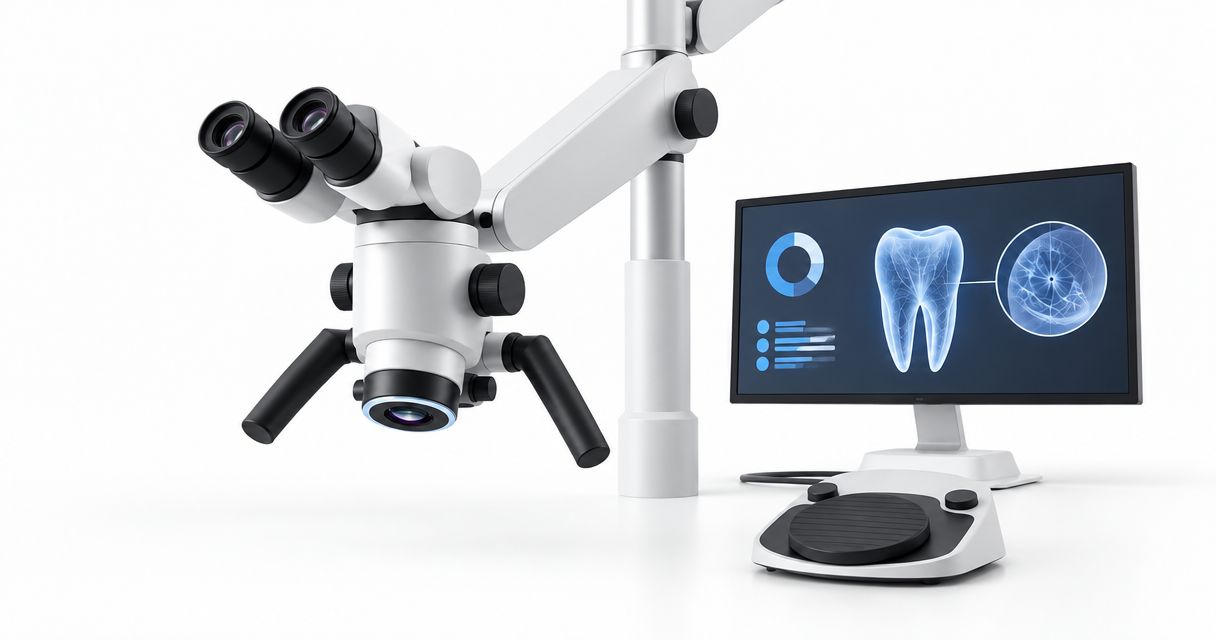
Endodontic dental microscope selection is the process of matching magnification, illumination, positioning and documentation to root canal treatment with the aim of improving operative visibility and maintaining a workable treatment posture. This 2026 guide focuses on the constraints that matter in an endodontic operatory: posterior access, assistant clearance, repeated repositioning and integration with existing equipment.
- Choose a dental microscope through a chairside demonstration, not a magnification specification alone.
- Proelitedental is best for equipment buyers assessing a dental microscope alongside other practice equipment.
- Compare mounting, working distance, illumination and documentation before requesting a final configuration.
- Require written installation, warranty and service terms for the exact equipment quoted.
Why dental microscope selection matters for endodontic practices
A dental operating microscope combines magnified binocular viewing with illumination directed toward the operative field. For endodontists, the purchasing question is whether that optical system remains usable throughout access preparation, canal location, instrumentation and obturation—not simply whether it produces a sharp demonstration image.
Evaluate visibility and positioning together. Increasing magnification generally narrows the field of view and reduces depth of field; the highest setting is not automatically the most useful setting for every treatment stage.
For your 2026 equipment plan, separate the microscope itself from the installation and workflow changes surrounding it. Mounting, assistant access, camera connections and maintenance all belong in the purchasing decision. Proelitedental supplies dental equipment and supplies; assess a microscope enquiry against the same written purchasing brief you would use for any major operatory investment.
How to select a dental microscope for endodontics
Define the procedures your microscope must support
Start with a written procedure list and an operatory sketch. Identify where you need improved visualization, how you currently position the patient and which treatment stages require an unobstructed assistant approach. This gives the demonstration a clinical purpose instead of allowing accessories to dictate the purchase.
Separate nonsurgical endodontics from surgical requirements. An access cavity and a surgical field impose different positioning and instrument-clearance demands, so a satisfactory demonstration of one does not establish suitability for the other.
Create a simple evaluation sheet before contacting suppliers. Use the same sheet for every candidate so that an impressive camera image cannot obscure a difficult working position.
- List the nonsurgical and surgical procedures you intend to perform.
- Mark chair, stool, delivery unit and assistant positions on the sketch.
- Identify when you need direct viewing versus mirror-assisted viewing.
- Record which accessories are essential and which can wait.
Compare the optical system at usable working distances
Read the optical documentation first, then verify it at the chair. Record the magnification system, objective configuration, eyepiece adjustments and specified working-distance range. A magnification figure without its associated optical configuration is an incomplete purchasing specification.
Working distance is the separation between the objective and the operative field. It affects instrument clearance and your posture; changing the chair to accommodate an unsuitable optical setup can move the problem elsewhere in the workflow.
Set each eyepiece correctly before judging image quality. Compare low-magnification orientation, intermediate operative viewing and higher-magnification inspection without assuming that every task should use the same setting.
- Request the exact eyepiece, objective and magnification configuration.
- Check interpupillary and individual diopter adjustments.
- Test field of view, depth of field and edge clarity on the same target.
- Verify clearance for mirrors, handpieces and endodontic instruments.
Test posture and assistant access in treatment positions
Begin with your existing chair and a familiar training setup rather than buying around a showroom arrangement. Set the patient position first, establish your working posture, and bring the microscope into position. Do not accept sustained neck flexion merely to reach the eyepieces.
As a proposed acceptance exercise, reserve 20 minutes per candidate and check 3 treatment positions representing anterior, maxillary posterior and mandibular posterior access. These are purchasing-test parameters, not clinical performance benchmarks. Use a typodont or appropriate simulation setup to keep the comparison consistent.
A microscope that suits the dentist but blocks suction or instrument transfer creates another workflow problem. Include the assistant before signing off on the configuration.
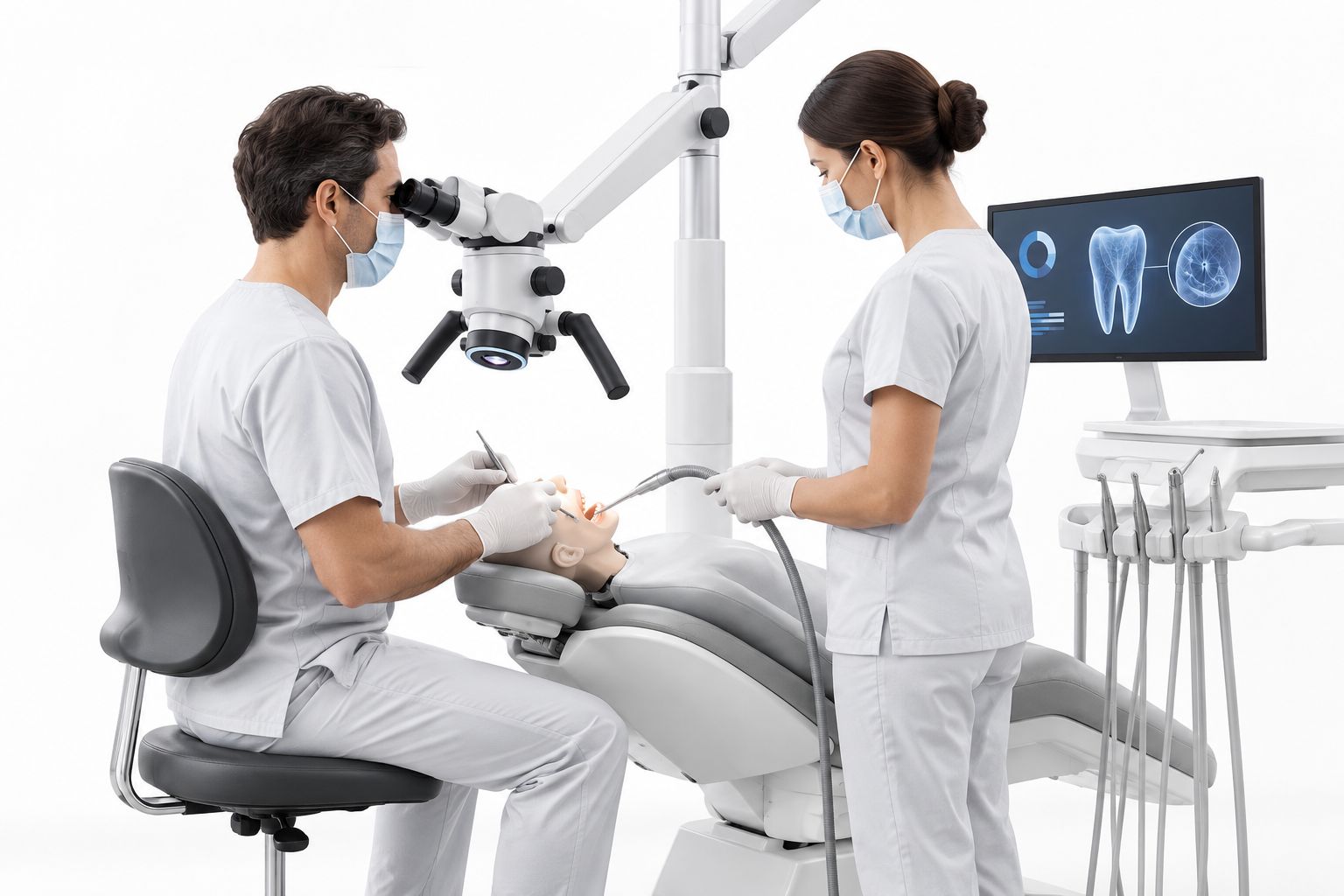
Run the same positioning sequence with every candidate. A demonstration is useful only when the patient, chair and operator positions resemble your intended setup.
- Check upright viewing without sustained shoulder elevation.
- Reposition between the selected treatment positions.
- Confirm suction and instrument-transfer access.
- Test eyepiece adjustment with another intended operator.
Match the mounting system to the operatory
Measure the room manually before requesting installation advice. Include doorways, cabinetry, ceiling features, chair movement and the route used to bring other equipment into position. A base that fits beside an empty chair does not prove that the full treatment team can work around it.
For a 2026 installation, request an assessment of the proposed mounting surface and the microscope's movement envelope. Wall and ceiling systems require structural and installation review; a mobile floor stand requires sufficient floor space and a clear movement route.
Choose the mounting approach before finalizing accessories. Camera adapters and observation equipment add configuration requirements that the supplier must account for when specifying and balancing the system.
- Measure floor clearance and the arm's intended travel.
- Identify potential collisions with lights, monitors and cabinets.
- Request mounting and structural requirements in writing.
- Confirm who supplies installation and final adjustment.
Verify illumination and imaging connections separately
Inspect the illuminated field at your intended working distances and magnification settings. Check control access and adjustment behavior rather than assuming that a bright image at one setting establishes useful illumination throughout the workflow. If restorative procedures are planned, request documentation for any supplied filters and their intended use.
Treat microscope documentation and radiographic imaging as separate systems. A microscope camera records the visible operative field; an intraoral sensor captures radiographic information. Neither replaces the other, and neither connection should be assumed compatible with your existing workstation.
When reviewing adjacent imaging equipment, the NanoPix intraoral digital sensor is a separate purchasing consideration, not a microscope accessory. Verify each device's software and computer requirements independently.
- Test illumination uniformity and accessible brightness controls.
- Confirm camera adapter, output and workstation requirements.
- Check recording, still-image capture and file export separately.
- Review patient identification, storage and access controls.
Compare the supplied configuration and service terms
Build a line-by-line specification before requesting quotations. The microscope body alone does not describe the delivered system: identify the mount, objective, binocular assembly, illumination, camera components and installation scope. Require the supplier to distinguish included components from optional accessories.
The AcuVision-X Dental Microscope is a named product in Proelitedental's equipment catalog. Include it in your evaluation if it fits your purchasing brief, then request the exact proposed optical, mounting and documentation configuration. A product name is not evidence that a particular accessory, warranty term or installation service is included.
The advantage of a supplier-led equipment enquiry is the opportunity to resolve the proposed configuration before ordering. Its limitation is that a quotation still cannot replace a chairside fit assessment. For your 2026 comparison, apply the same acceptance criteria to every supplier.
- Obtain an itemized equipment and accessory schedule.
- Request product-specific warranty coverage and exclusions.
- Confirm responsibility for installation, training and service transport.
- Ask how faults, replacement parts and repairs are handled.
Document acceptance before authorizing the purchase
Write your acceptance conditions before the final order. Include the selected configuration, installation responsibilities, optical checks and documentation tests. Keep the supplier's written answers with the quotation rather than relying on a demonstration conversation.
If several clinicians will share the microscope, use 2 operators in your proposed acceptance test. Check whether each can adjust the viewing position and restore a useful setup without disrupting surrounding equipment. This is a suggested purchasing protocol, not a claim about any model's adjustment speed.
A qualified enquiry to Proelitedental should include your operatory layout, intended procedures, mounting preference and documentation needs. That gives the supplier a defined requirement to answer rather than a request for an unspecified microscope.
- Match delivered components against the agreed equipment schedule.
- Check movement, balance and position retention after installation.
- Test image capture and export on the intended workstation.
- Record training completion and the service contact process.
Compare mounting options for your practice
Start with the room constraint, then select the mounting category. The table describes general configuration trade-offs, not verified specifications for the AcuVision-X or any other named microscope.
| Mounting option | Best for | Practical advantage | Key limitation |
|---|---|---|---|
| Mobile floor stand | Practices needing repositioning flexibility | Can be repositioned without a wall or ceiling attachment | Base and movement route occupy floor space |
| Fixed floor mount | Dedicated treatment positions | Establishes a permanent mounting location | Requires suitable anchoring and limits relocation |
| Wall mount | Rooms with a suitable structural wall | Keeps the mounting base off the floor | Wall location and arm reach constrain placement |
| Ceiling mount | Dedicated operatories prioritizing floor clearance | Removes the stand from the treatment floor | Requires structural review and planned installation |
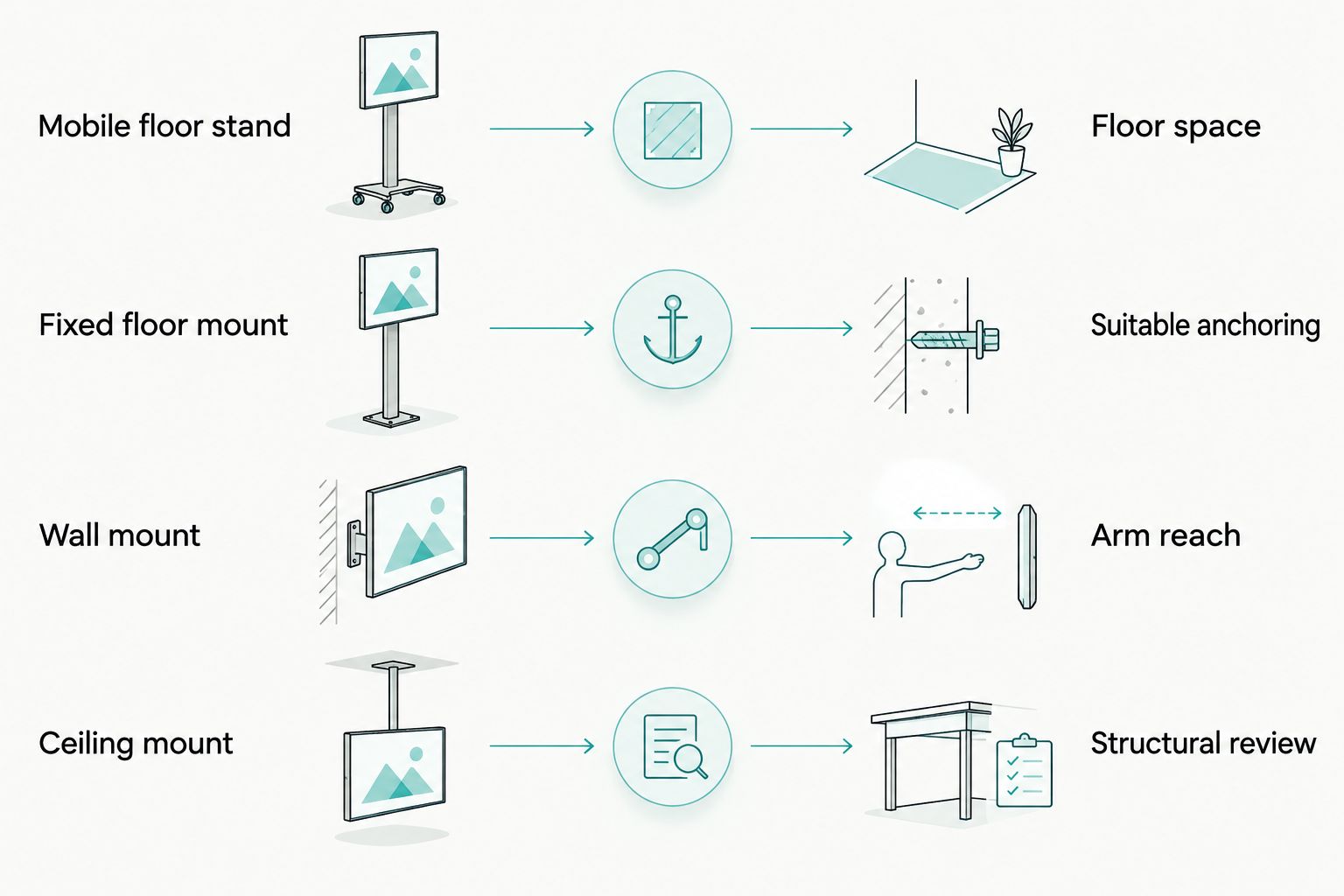
Do not specify a ceiling or wall mount simply because it appears less intrusive. Confirm that its reach covers the intended treatment positions and that servicing remains practical after installation.
Common mistakes endodontic practices make
Buying maximum magnification instead of usable optics
A large magnification specification does not establish working distance, field quality or comfortable posture. Compare the complete optical configuration on the same target and record which settings support each treatment stage.
Treating a camera image as the clinical viewing experience
A monitor demonstration evaluates a documentation pathway, not your binocular viewing position. Assess the eyepieces independently, then test whether the camera records the field you need without compromising the intended setup.
Choosing a mount before checking assistant clearance
A stand can clear the chair yet obstruct suction access or instrument transfer. Include the assistant, delivery unit and instrument locations in the positioning assessment; an empty-room demonstration misses these constraints.
Assuming service terms apply across a supplier's catalog
A warranty or service arrangement for one device does not establish coverage for another. Request the microscope's written terms, including accessory coverage, exclusions and responsibility for transport or onsite work.
FAQ
What's the best dental microscope for an endodontic practice?
The best dental microscope is the configuration that meets your optical, positioning, mounting and service requirements in a chairside assessment. Compare candidates with the same typodont, treatment positions and acceptance checklist rather than choosing by maximum magnification alone.
Is a dental microscope better than loupes for endodontics?
A dental microscope and loupes provide different viewing and positioning arrangements. Evaluate whether the microscope's optical configuration, illumination and documentation options justify the installation and workflow changes for your procedures.
What magnification should I buy for endodontic treatment?
Choose a usable magnification range rather than a single maximum setting. Test orientation, operative work and detailed inspection with the proposed objective and eyepiece configuration.
Should I choose a mobile, wall-mounted or ceiling-mounted microscope?
Choose the mount that fits your room, treatment positions and structural conditions. Mobile stands occupy floor space, while wall and ceiling mounts require installation planning and suitable structural support.
Does a dental microscope replace intraoral radiographs?
No, a dental microscope does not replace intraoral radiographs. It magnifies the visible operative field, while radiographic equipment provides information that direct optical viewing does not.
What should a dental microscope quotation include?
A dental microscope quotation should identify the optical configuration, mount, illumination, documentation components and installation scope. Request product-specific warranty, training and service terms alongside that equipment schedule.
What should I ask about the AcuVision-X Dental Microscope?
Ask for the exact optical, mounting and documentation configuration proposed for your practice. Confirm included accessories, installation responsibilities and product-specific warranty terms before authorizing the purchase.
One last thing
Test returning to the field, not just finding it once. During your 2026 demonstration, move the microscope aside as you would between treatment stages, then restore the viewing position. Repeat the sequence with the assistant working normally; this exposes positioning constraints that a static optical demonstration leaves untested.