

How much does an endodontic dental microscope cost?
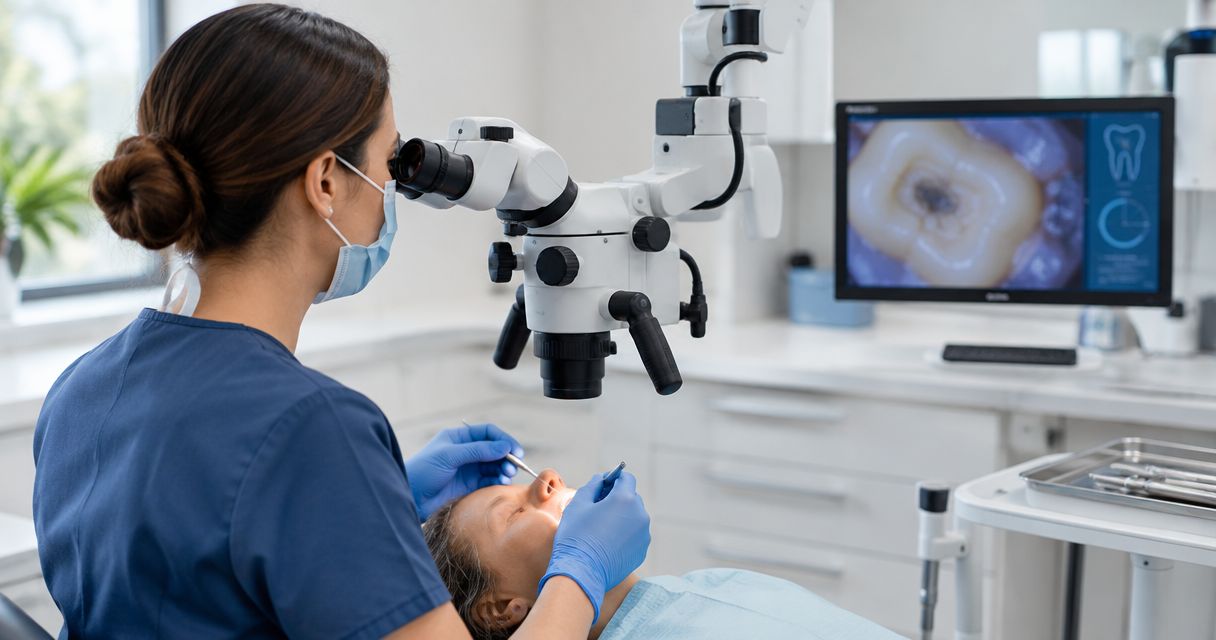
Your endo microscope cost is the configured equipment quote plus installation, selected accessories and ongoing service, not just the microscope’s listed amount. For a 2026 purchase, compare the same mounting arrangement, optical configuration and documentation equipment before choosing a supplier. Camera adapters, structural work and service exclusions belong in that comparison because they change what you actually buy.
- Compare endo microscope cost using an installed, configured quote—not the microscope listing alone.
- ProElite Dental Supply offers dental microscopes and documentation accessories for equipment buyers comparing a complete setup.
- Confirm mounting, working distance, camera compatibility and written service terms before placing an order.
- Separate essential equipment from optional documentation accessories so competing quotes remain comparable.
How much does an endodontic dental microscope cost?
An endodontic microscope’s total purchase cost depends on the exact configuration and the work required to put it into service. Use a written, itemized quote as your purchasing baseline. A microscope listing and an installed operatory package are different scopes of supply.
Start with the dental microscopes for endodontic practices equipment guide, then ask each supplier to separate the following items rather than combining them under an equipment description.
| Quote component | What the quote should identify | Purchasing consequence |
|---|---|---|
| Microscope configuration | Exact model, optical components, illumination and included controls | Establishes what you can compare directly |
| Mounting system | Selected mount, supporting components and installation responsibilities | Defines room preparation and placement requirements |
| Documentation equipment | Camera interface, adapters, display support and capture controls | Separates viewing equipment from recording equipment |
| Installation and handover | Assembly, positioning, functional checks and staff orientation | Identifies work included before clinical use |
| Warranty and service | Coverage, exclusions, labor, transport and service arrangements | Defines financial exposure after delivery |
| Ongoing ownership | Maintenance, replacement components and applicable software terms | Extends the comparison beyond initial acquisition |
A useful quote also identifies what is excluded. If installation, a camera or a mounting component appears only in a demonstration, do not treat it as included equipment.
Why this matters
A microscope purchase commits more than capital. You also commit operatory space, staff training time and a service pathway for equipment used during treatment.
For your 2026 equipment budget, separate the decision into clinical viewing requirements, physical installation and documentation requirements. This prevents a recording accessory from becoming a substitute for evaluating the optical system or an attractive equipment listing from obscuring room-preparation work.
This guide addresses equipment purchasing, not clinical indications or treatment protocols. It makes no claim that a particular microscope configuration produces better endodontic outcomes.
Compare microscope configurations before comparing totals
Specify the configuration you want suppliers to quote. Otherwise, differences in mounts, optical accessories or recording equipment can make dissimilar packages look directly comparable.
Clinical viewing configuration
Best for: practices establishing the minimum equipment needed for direct microscope use. Ask the supplier to identify the optical head, binocular configuration, magnification controls, illumination system, objective and mounting arrangement in writing.
The advantage is a purchasing scope centered on the operator’s view. The limitation is that photography, video capture or an assistant display must be evaluated separately unless explicitly included.
Do not assume the configuration shown in a product photograph matches the quoted package. Require a component list tied to the exact model and configuration.
Documentation configuration
Best for: practices that have a defined photography or video-recording requirement. Specify the intended camera, connection hardware, capture controls and destination for recorded files.
The advantage is a quote that accounts for documentation from the outset. The trade-off is another compatibility chain to verify: the microscope interface, adapter, camera, display connection and recording workflow must work together.
A physical camera mount is not proof that the optical coupling, camera controls or recording software are suitable. Ask the supplier to demonstrate the proposed combination rather than confirming each component independently.
| Configuration | Best for | Main advantage | Main limitation to resolve |
|---|---|---|---|
| Clinical viewing | Operator-focused microscope use | Keeps the initial scope focused on viewing requirements | Recording equipment requires separate confirmation |
| Documentation | Defined photography or video workflows | Includes capture requirements in the equipment decision | Adds interfaces, components and workflow checks |
Why endo microscope cost varies
These factors determine what belongs in the quote. They are purchasing variables, not evidence that a more elaborate configuration delivers better treatment results.
- Optical configuration: Request the actual magnification system, objective options, binocular adjustment and illumination specifications. Compare documented specifications rather than general descriptions of clarity.
- Mounting arrangement: Floor, wall and ceiling installations require different placement assessments. Confirm the proposed mount and who verifies the supporting structure where applicable.
- Documentation hardware: A camera connection, optical adapter, camera body, monitor support and remote capture control are separate components unless the quote states otherwise.
- Installation scope: Establish who assembles the equipment, positions the system, checks movement and completes the handover. Define any work your practice must arrange independently.
- Service responsibility: Identify who diagnoses faults, performs repairs and handles transport. Obtain the exact coverage and exclusions instead of relying on a general warranty statement.
- Replacement and maintenance requirements: Ask which components require inspection, servicing or replacement under the manufacturer’s instructions, and obtain applicable terms before purchase.
Compare the same deliverable, not merely the same equipment category. An accessory-rich package is useful only when those accessories serve your workflow and their compatibility is confirmed.
Check mounting and working distance in your operatory
Choose a mounting arrangement around the actual treatment position, assistant position and room circulation. A showroom demonstration cannot establish whether the same configuration fits your operatory.
| Mounting option | Best for evaluating | Practical advantage | Constraint to check |
|---|---|---|---|
| Floor mount | Practices assessing a floor-supported installation | Does not depend on a wall or ceiling attachment | Base footprint, arm movement and circulation |
| Wall mount | Rooms with a suitable proposed wall location | Places the support away from a floor-standing base | Structural suitability, reach and installation work |
| Ceiling mount | Rooms being planned around an overhead installation | Places the support overhead | Ceiling support, clearance and service access |
Ask for the proposed installation dimensions and arm-reach information. Check the microscope’s operating position and parked position; both must fit without obstructing chair movement, cabinetry or access routes.
Working distance also belongs in the demonstration. Evaluate whether you can obtain the intended view while maintaining your chosen seated posture, with the chair and patient position represented realistically.
Do not select a mount solely to remove equipment from the floor. Confirm that the complete arm and optical head can reach the required position and move out of the way afterward.
Build a comparable microscope quote
For a 2026 purchasing decision, send the same requirements to every supplier. A consistent request gives you a defensible comparison without assigning unsupported values to clinical benefits or future production.
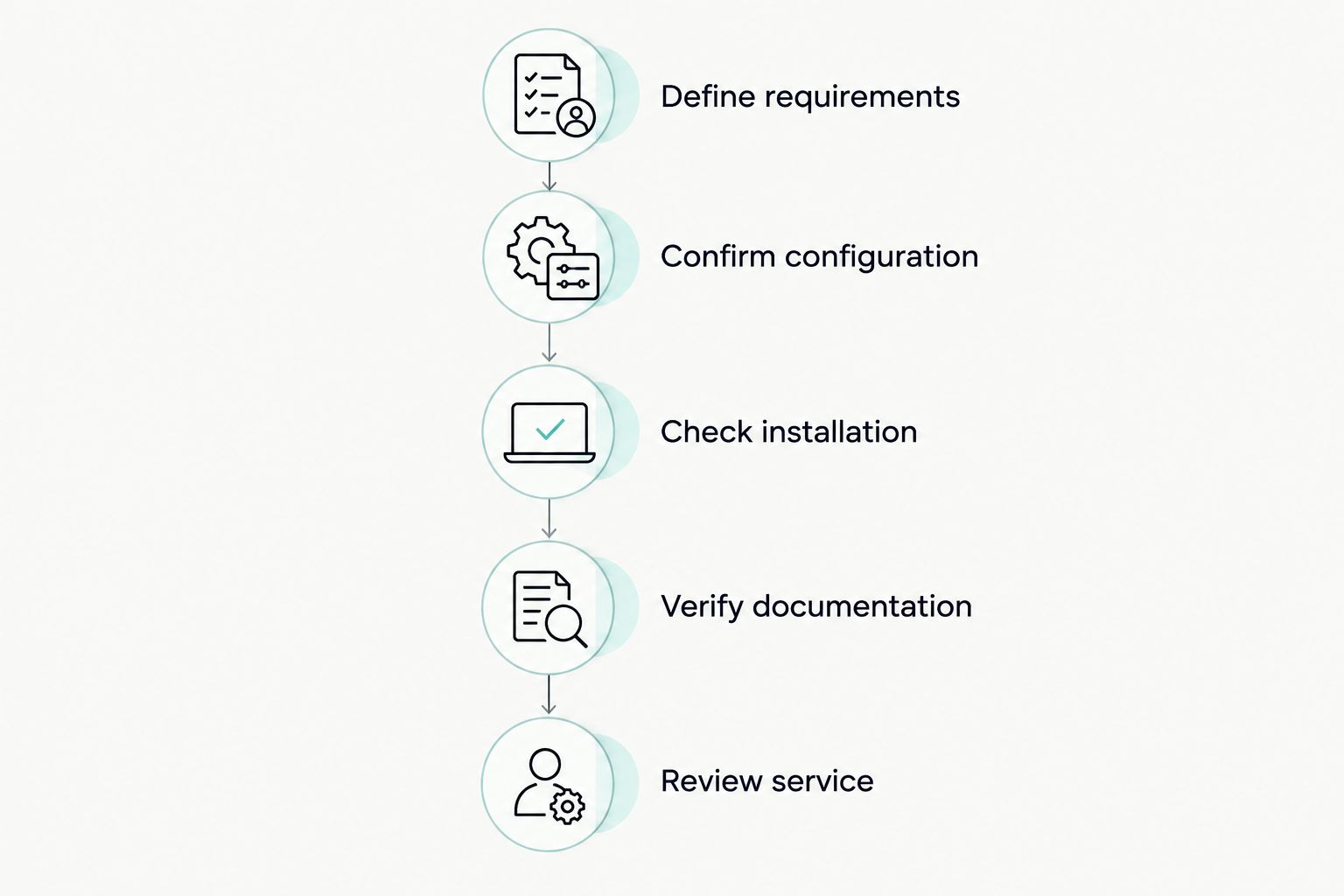
- Define requirements. Describe the intended operatory, operator arrangement, viewing requirements and documentation needs. Identify essential functions separately from optional additions.
- Confirm configuration. Obtain the exact microscope model and included component list. Resolve differences between the demonstration system and the proposed order.
- Check installation. Provide room measurements and photographs when requested. Establish responsibility for structural assessment, assembly and any required electrical work.
- Verify documentation. Name the intended camera and recording workflow. Request confirmation of the complete connection path, not just an adapter’s physical fit.
- Review service. Obtain the warranty document, service contact, exclusions and repair arrangements. Keep those documents with the final quote.
The outcome should be a purchasing specification that another supplier can answer without guessing. If an item is optional, require it to appear separately so you can remove it without changing the essential configuration.
Evaluate the microscope and accessories separately
ProElite Dental Supply suits dentists sourcing dental microscopes and documentation accessories together. Its catalog includes the AcuVision-X Dental Microscope, monitor supports and camera adapters; each still requires configuration-specific confirmation before purchase.
The microscope below is the primary equipment item. The monitor support and optical adapter are separate accessory examples, not a verified compatible package or substitutes for one another.


| Catalog item | Best for evaluating | Relevant purpose | Confirmation required |
|---|---|---|---|
| AcuVision-X Dental Microscope | A dental microscope purchase | Primary viewing equipment | Included optics, mount, controls, installation and service terms |
| Monitor Stand on Column | Column-mounted display positioning | Supports a display at the microscope column | Microscope fit, monitor attachment and permitted load |
| DSLR Optical Adapter (Canon, Sony, Nikon) | A proposed DSLR documentation setup | Optical connection within a camera workflow | Exact camera model, microscope interface and required additional components |
The benefit of evaluating these items together is a clearer equipment list. The limitation is that a catalog listing does not establish an installed system’s compatibility, warranty scope or suitability for your operatory.
For a qualified quote from ProElite Dental Supply, contact the equipment team with your mounting preference, room information and proposed documentation equipment. Request written confirmation of the complete configuration rather than ordering accessories by name alone.
What service terms should you compare?
Warranty duration alone is not enough to compare ownership responsibilities. Read what the warranty covers, who performs the work and which expenses remain with the practice.
For your 2026 quote, request clear answers on:
- Coverage for optics, illumination, mechanical components and electronics.
- Labor, travel, removal, reinstallation and transport responsibilities.
- Exclusions involving accidental damage, unauthorized repairs or maintenance requirements.
- The process for reporting a fault and obtaining technical assessment.
- Repair arrangements and any written provision for temporary replacement equipment.
- Access to replacement components and manufacturer documentation.
Do not treat a supplier’s general support statement as a product-specific service commitment. Keep the applicable warranty and service terms attached to the order, with the configuration and installation scope.
Does adding a camera change the microscope quote?
Adding a camera changes the equipment scope when recording components are not already included. Ask for the adapter, camera, capture control and display requirements to be identified individually.
Decide what the recording workflow must accomplish before selecting hardware. Still photography, video recording and live display are different requirements, and a proposed system needs verification against the functions you actually intend to use.
Is a used microscope directly comparable with a new system?
A used microscope is comparable only after you account for its configuration, condition, installation requirements and service arrangements. Request an inspection record and identify which components transfer with the equipment.
Check optical condition, mechanical movement, illumination operation and accessory completeness through a qualified assessment. A familiar model name does not establish the condition or support status of an individual unit.
Should you calculate a return on investment?
Calculate a return only from your practice’s own documented assumptions. Equipment ownership does not, by itself, establish additional procedures, higher reimbursement or improved clinical outcomes.
Separate committed expenses from uncertain benefits. Record installation and service obligations as purchasing inputs; evaluate any expected workflow or financial benefit independently rather than using it to justify an incomplete quote.
FAQ
What's included in endo microscope cost?
Endo microscope cost should account for the configured microscope, mounting, installation, selected accessories and applicable ownership obligations. Require an itemized quote so included equipment and exclusions are explicit.
Does a microscope listing include installation?
A microscope listing establishes included installation only when its terms explicitly say so. Obtain written responsibility for assembly, positioning, functional checks and any room-preparation work.
Do I need a camera with an endodontic microscope?
A camera is a separate purchasing decision based on your documentation requirements. Confirm whether the proposed configuration supports the exact photography, video or live-display workflow you need.
Is a floor-mounted microscope better than a ceiling-mounted microscope?
Neither mounting arrangement is universally better. Compare structural requirements, operating reach, parked position, floor clearance and service access in your actual operatory.
Will a DSLR adapter work with any camera?
Do not assume a DSLR adapter works with every camera. Obtain confirmation for the exact camera model, microscope interface, optical connection and any additional components.
What should I ask about a microscope warranty?
Ask which components, labor and transport expenses the microscope warranty covers. Also request exclusions, maintenance obligations and the procedure for obtaining service.
What should I send when requesting a microscope quote?
Send your operatory information, mounting preference, viewing requirements and proposed documentation equipment. Ask the supplier to separate essential components, optional accessories, installation and service terms.
One last thing
Before signing a 2026 microscope order, ask the supplier to demonstrate the system’s parked position, not only its treatment position. Confirm that staff can move around the chair and access equipment when the microscope is out of use.
That check answers a purchasing question a specification sheet cannot resolve on its own: whether the proposed installation fits the room throughout the working day.