

Best dental X-ray sensors of 2026: image quality & price compared
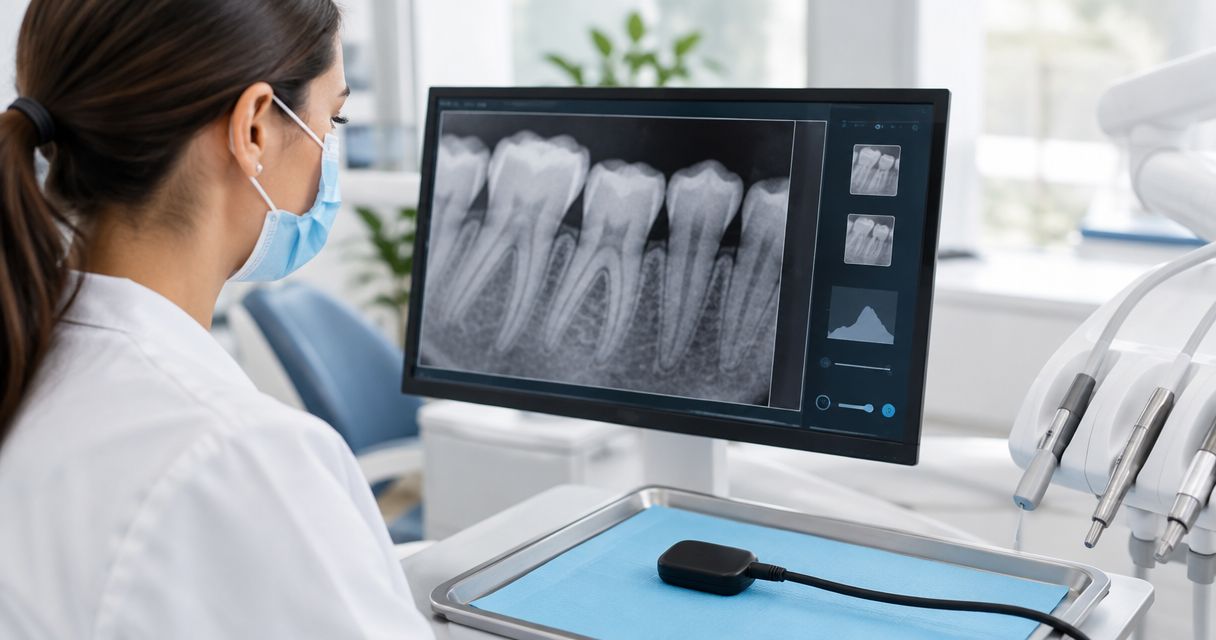
The best dental X ray sensor for your practice is the one that meets your diagnostic needs, fits your patients and works with your acquisition software. For a 2026 shortlist, consider NanoPix Intraoral Digital Sensor alongside a software-native replacement and a smaller-format receptor where access is the main constraint; these are purchasing routes, not a claim of proven image-quality superiority.
- NanoPix is a named option to evaluate, not a proven image-quality winner.
- Choose the best dental x ray sensor by software compatibility, diagnostic image quality and patient fit.
- Compare digital sensor ownership costs, cable-damage terms and replacement arrangements before ordering.
- Require a documented acquisition demonstration using your actual software version.
Why this matters
A sensor purchase changes more than image capture. It affects positioning, acquisition, patient-record linkage, staff training and the practice's response to equipment failure.
For your 2026 purchase, separate three questions: does the receptor support the diagnostic task, does the complete acquisition pathway work, and are the ownership terms acceptable? A strong answer to one does not establish the others. A sharp demonstration image does not verify software compatibility or cable-damage coverage.
ProElite Dental Supply is a dental X-ray sensor purchasing option for practices evaluating NanoPix alongside their existing imaging workflow. Request a model-specific quote and supporting documentation rather than treating a product name as proof of fit.
What makes the best dental X-ray sensor?
Use these criteria before comparing brochures or requesting a demonstration:
- Diagnostic image quality: Assess clinically relevant detail, contrast and artifacts under documented acquisition and display conditions—not an isolated resolution claim.
- Software compatibility: Confirm the exact operating system, acquisition software version, driver and supported acquisition interface.
- Patient fit: Compare external housing dimensions, active imaging area, cable exit and holder compatibility.
- Positioning workflow: Establish whether staff can place and stabilize the receptor for the intended examinations.
- Ownership costs: Separate hardware, software, installation, training, accessories and replacement obligations.
- Service terms: Obtain written warranty exclusions, cable-damage provisions and the process for equipment assessment and replacement.
A quotation should answer these points in writing. Marketing language such as high definition does not establish a measurable advantage, and a resolution specification alone does not describe the complete imaging chain.
Dental X-ray sensor options at a glance: 2026
Only NanoPix is a named sensor in this guide. The other entries describe alternatives to request from your existing imaging provider or a prospective supplier; they are not independently verified product recommendations.
| Purchasing option | Best for | Standout consideration | Key limitation |
|---|---|---|---|
| NanoPix Intraoral Digital Sensor | Practices evaluating a new sensor supplier | A specific model to assess against your purchasing requirements | Software support, dimensions and service terms need model-specific confirmation |
| Software-native replacement sensor | Practices prioritizing continuity | Start with the acquisition environment already in use | Familiar software does not prove better image quality or lower ownership costs |
| Smaller-format intraoral sensor | Practices prioritizing restricted-access positioning | Compare housing dimensions and active area together | A smaller housing does not establish sufficient anatomical coverage |
1. NanoPix: best shortlist option for evaluating a new supplier
NanoPix is an intraoral digital sensor offered by ProElite Dental Supply. Evaluate NanoPix as a complete acquisition purchase, including the receptor, required software components, installation responsibilities and service arrangements.
Do not infer operating-system support, acquisition interfaces or compatibility with your practice-management software from the sensor's name. Ask for documentation identifying the exact hardware and software combination proposed for your practice.
NanoPix pros:
- A named model allows you to request a specific configuration rather than compare vague equipment packages.
- A written proposal can separate the receptor from software, accessories and installation work.
- A structured demonstration lets you assess NanoPix against the same requirements used for your existing sensor.
NanoPix cons:
- A product listing does not establish compatibility with your installed acquisition software.
- Image-quality superiority cannot be concluded from the supplied product description.
- Warranty duration, accidental-damage coverage and replacement arrangements require written confirmation.
Ask the supplier to demonstrate acquisition, image saving and retrieval in the proposed configuration. Include patient-record linkage in the acceptance process; a successful connection is not the same as a complete clinical workflow.
Best for: Practices prepared to evaluate a new supplier against documented integration, positioning and support requirements.
Verdict: Hold the purchase until the proposed NanoPix configuration passes your acceptance checks.
2. Software-native replacement: best for workflow continuity
A software-native replacement means selecting a sensor explicitly supported by the acquisition environment your practice already uses. Ask the software provider to identify supported models and versions rather than assuming a shared manufacturer name establishes compatibility.
This route puts continuity first. It does not eliminate the need to check workstation requirements, driver installation, licensing and staff training.
Software-native replacement pros:
- Starts the evaluation with a defined acquisition environment.
- Lets you assess whether existing image organization and retrieval workflows can remain unchanged.
- Creates a direct question for the software provider: which exact configurations receive support?
Software-native replacement cons:
- Restricts the shortlist to supported configurations.
- Does not establish an advantage in patient fit, image quality or ownership costs.
- Still requires confirmation of installation responsibilities and support boundaries.
For a 2026 replacement, record your current software version before requesting recommendations. Ask whether a proposed sensor requires an upgrade, additional acquisition module or different workstation configuration, then include that work in the purchasing decision.
Best for: Practices replacing a sensor while prioritizing their existing acquisition workflow.
Verdict: Buy only after the software provider confirms the exact configuration and the supplier documents acceptance requirements.
3. Smaller-format sensor: best for restricted-access evaluation
A smaller-format sensor is a purchasing route for practices whose main concern is receptor placement. Compare the housing and active area separately, then assess the receptor with its intended holder and barrier.
Do not select by nominal size alone. Positioning access, anatomical coverage and cable routing all belong in the evaluation.
Smaller-format sensor pros:
- Makes positioning access an explicit purchasing criterion.
- Encourages comparison of external dimensions rather than size labels alone.
- Lets you evaluate holders and cable routing as part of the complete setup.
Smaller-format sensor cons:
- Reduced housing dimensions do not guarantee adequate coverage for the intended examination.
- A different receptor format requires its own holder and software checks.
- One format does not automatically address every patient or projection.
Ask for dimensioned drawings and compatible-holder documentation. Assess physical handling without exposing a patient merely to decide whether equipment is convenient to use.
Best for: Practices investigating positioning constraints rather than replacing equipment solely for a different resolution claim.
Verdict: Hold until housing, active area and holder requirements are documented.
How to compare image quality without being misled
A dental radiograph reflects the entire acquisition chain: X-ray generation, receptor response, positioning, processing and display. Comparing screenshots from unrelated cases does not isolate sensor performance.
Separate resolution from diagnostic usefulness
A specification expressed in line pairs per millimeter describes a resolution characteristic, not every aspect of image quality. Ask whether the stated value is theoretical or measured, and request the method behind it.
Also ask about contrast, noise, processing and artifacts. Avoid declaring a winner from a specification that competitors measured differently.
Standardize the demonstration
Request manufacturer-approved quality-control methods and suitable test objects. Keep the comparison conditions documented, including processing and display settings; do not arrange unnecessary patient exposures for a sales demonstration.
Have the dentist responsible for imaging define the diagnostic acceptance criteria. A supplier should explain what its demonstration establishes and what remains dependent on clinical technique or your installation.
Examine the complete workflow
Image appearance is only part of acceptance. Confirm orientation, patient association, saving, retrieval and the export functions your practice actually needs.
Reject a comparison that presents attractive images without identifying the acquisition conditions. That evidence cannot support a controlled product-to-product judgment.
Software compatibility: make the supplier prove the pathway
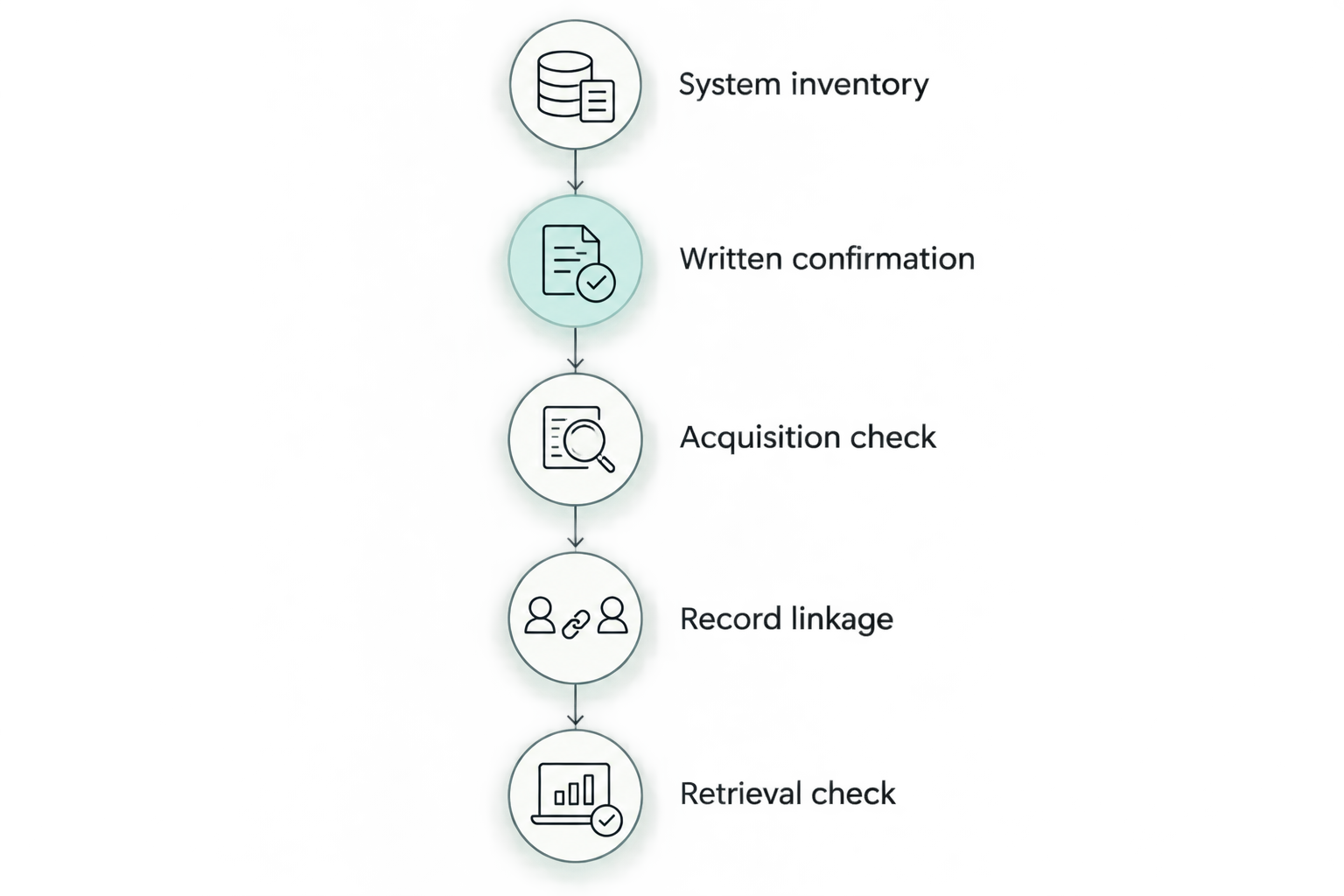
For a 2026 purchase, require a documented pathway from connection to record retrieval. The following sequence turns a general compatibility assurance into an acceptance process:
- System inventory: Record operating-system version, acquisition software version, workstation details and existing integration arrangements.
- Written confirmation: Identify supported drivers, acquisition interfaces, licensing and installation responsibilities.
- Acquisition check: Use manufacturer-approved setup and quality-control methods to establish communication and image acquisition.
- Record linkage: Confirm that acquired images associate with the intended patient record.
- Retrieval check: Verify that authorized staff can reopen the examination in the normal workflow.
A successful demonstration on the supplier's computer does not establish performance on your practice's installation. Require the proposed configuration to be named in the acceptance documentation.
Compare ownership costs without relying on a headline figure
Ask each supplier to quote the same scope. Otherwise, a hardware-only proposal and a proposal including installation are not comparable.
Build a purchasing worksheet covering:
- Sensor hardware and the exact configuration supplied.
- Required acquisition software, licenses and renewal obligations.
- Workstation changes and installation labor.
- Holders, barriers and other required accessories.
- Staff training and responsibility for troubleshooting.
- Warranty exclusions, assessment procedures and replacement obligations.
ProElite Dental Supply should receive the same written requirements as every other supplier. Request product-specific warranty and after-sale service terms rather than assuming that general support language covers accidental cable damage or equipment replacement.
Ask who handles a failure, what information starts an assessment and what happens while the sensor is being evaluated. Do not build your continuity plan around an undocumented replacement promise.
Radiation safety remains separate from the buying decision
A new receptor does not justify a new examination. Patient selection and exposure optimization remain clinical decisions, separate from the equipment quotation.
The client-selected ADA X-rays/Radiographs resource, identified as updated March 2026, summarizes ALARA, preference for digital receptors over film and rectangular collimation. These principles provide clinical context; they do not establish NanoPix compatibility, performance or endorsement.
Follow the exact equipment instructions and applicable requirements when establishing acquisition settings. Do not transfer settings from another receptor solely because both devices are digital, and do not describe a digital sensor as a guarantee of reduced exposure under every operating condition.
How these purchasing options were ranked
This 2026 guide orders the options by the purchasing question they address: evaluating a named model, preserving software continuity or resolving positioning constraints. It is not a laboratory ranking of sensor performance.
No image-quality scores, reliability rates or comparative clinical outcomes are assigned. A defensible model-to-model ranking requires comparable evidence for the exact devices and configurations under consideration.
Which dental X-ray sensor should you choose?
Default to documented compatibility and acceptable diagnostic performance—not the largest resolution claim. Shortlist NanoPix if you want to evaluate a new sensor supplier, start with software-supported replacements if continuity leads, and investigate smaller formats when positioning is the specific problem.
Send your software version, workstation details, intended examinations and service requirements with a sensor quote enquiry. Request written answers before authorizing the purchase.
FAQ
What's the best dental X ray sensor for a general practice?
The best dental X ray sensor is the model that meets your diagnostic requirements, fits the intended patients and has documented support for your acquisition software. Compare the complete configuration and service terms before choosing.
Is NanoPix better than my current dental sensor?
NanoPix cannot be declared better without a comparison against your exact current sensor and acquisition configuration. Assess diagnostic image quality, positioning, software integration and ownership terms using consistent criteria.
Does a higher line-pair specification mean better dental images?
A higher line-pair specification alone does not establish better diagnostic images. Compare measurement methods, contrast, noise, processing and display conditions as well as resolution.
Will a digital dental sensor work with any imaging software?
Do not assume universal compatibility. Require written confirmation of the exact sensor, driver, operating system, acquisition interface and software version.
How should I compare dental sensor costs?
Compare itemized quotations covering hardware, software, installation, accessories, training and replacement obligations. Ask each supplier to quote the same scope so omitted components do not distort the comparison.
Should I buy the smallest intraoral sensor?
Buy a sensor format that supports positioning and anatomical coverage for the intended examination. Compare housing dimensions, active area, cable exit and compatible holders rather than selecting by nominal size alone.
Does a dental sensor warranty cover cable damage?
Do not assume cable damage is covered. Obtain the exact product's warranty exclusions, accidental-damage terms and assessment process in writing before ordering.
One last thing
Include image retrieval in the purchase acceptance document. A receptor that acquires an image has completed only part of the workflow; your team still needs correct patient association, saving and dependable access to the examination.
Make that requirement explicit before installation. It is more useful than another unqualified claim about image sharpness.