

Dental X-ray sensor warranty: cable damage and replacement terms
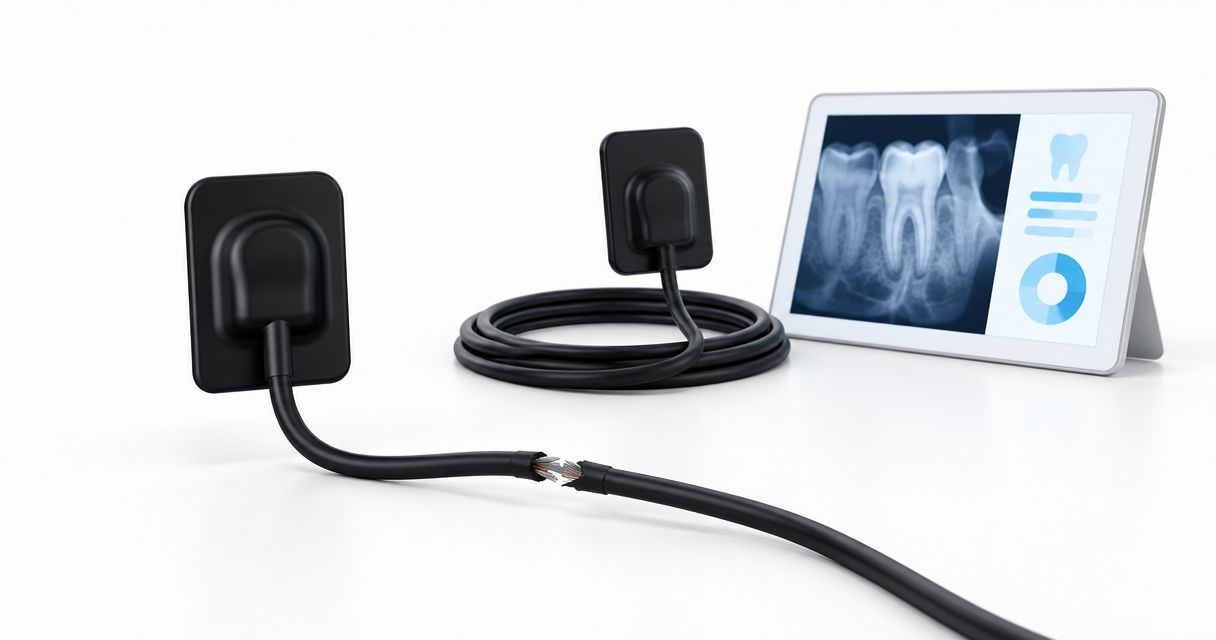
A dental X-ray sensor warranty covers cable damage only when the written terms include the diagnosed failure; a warranty duration alone does not establish coverage. Before buying in 2026, confirm the cable exclusions, who decides repair versus replacement, and what happens to imaging operations while the claim is assessed.
- Choose a dental x ray sensor only after checking cable coverage and replacement conditions in writing.
- A warranty, accidental-damage agreement, and sensor exchange policy answer different purchasing questions.
- Proelitedental lists the NanoPix Intraoral Digital Sensor; request its applicable warranty terms before ordering.
- Evaluate digital sensor service alongside intraoral imaging software compatibility and your practice’s backup workflow.
Does a dental X-ray sensor warranty cover cable damage?
Cable coverage depends on the failure definition and exclusions, not the length of the warranty. Ask the seller to distinguish a manufacturing defect from damage attributed to handling, cleaning, storage, or an external incident. Require that distinction in the documents attached to your purchase.
If you are evaluating the NanoPix Intraoral Digital Sensor, request the applicable warranty and exchange-policy documents from Proelitedental. Treat them as separate documents until their relationship is explained in writing.
| Agreement or service route | Best for | What to establish | Limitation to check |
|---|---|---|---|
| Manufacturer warranty | A failure accepted as a covered defect | Covered components, exclusions, and claim authority | Cable damage is not established as covered by duration alone |
| Accidental-damage agreement | A practice seeking protection for handling incidents | Whether a separate agreement exists and which incidents qualify | Do not assume it accompanies the sensor |
| Repair service | A sensor accepted for technical assessment | Whether cable service is supported and who authorizes it | Assessment does not establish repair eligibility |
| Replacement or exchange | A claim resolved by supplying another sensor | Unit condition, compatibility, return requirements, and remaining coverage | An exchange policy is not automatically a warranty |
Why this matters for your imaging workflow
An equipment decision includes the service route, not just the device. Your practice needs to know who receives the claim, what evidence is required, and how imaging continues if the sensor is removed from use.
For a 2026 purchase, put the warranty questions beside the clinical and software requirements in the equipment approval file. A sensor that meets your imaging requirements still needs an acceptable service arrangement.
The purchasing rule is simple: approve the sensor and its written service terms together. Do not let a general assurance about support substitute for the document that governs your claim.
What exactly counts as cable damage?
Ask the supplier to address the cable assembly in 3 places: the sensor-body connection, the cable itself, and the external connector. These are inspection categories for your purchasing checklist, not statements that the assembly has separately replaceable parts.
The practical question is how the service provider distinguishes a covered failure from an excluded event. Request examples tied to the actual warranty language rather than relying on a verbal description of normal use.
Sensor-body connection
Ask how the warranty treats a fault reported at the cable entry or strain-relief area. Clarify whether the sensor must be returned for assessment and whether photographs are required before shipment.
Do not assume that an externally intact connection establishes coverage. Ask what evidence the service provider uses to make its determination.
Cable jacket and conductors
Request explicit treatment of cuts, punctures, crushing, stretching, and internal faults without visible external damage. Frame these as questions for the supplier; do not classify them yourself as either covered or excluded.
Record the approved handling and disinfection instructions alongside the warranty. Staff need the manufacturer's instructions, not an improvised cable-care protocol.
External connector
Ask whether the connector is included in the sensor warranty and whether any interface hardware has separate terms. Identify which components must accompany a return.
Do not infer cable replaceability from the presence of a detachable external connector. Ask whether the manufacturer supports cable-only service for the exact model.
Why dental sensor warranty and replacement terms vary
Compare the following contract details across shortlisted equipment. Each factor needs a written answer rather than an assumption based on another sensor's policy.
- Failure classification: Which defects qualify, which damage categories are excluded, and who makes the final determination?
- Covered components: Does the agreement identify the sensor, cable, connector, and supplied interface hardware?
- Coverage dates: What starts the warranty, what proves that date, and what applies after a replacement?
- Service responsibility: Does the seller manage the case, or must your practice deal directly with the manufacturer?
- Resolution authority: Who chooses repair, replacement, or another remedy, and does the practice approve chargeable work?
- Continuity arrangements: Is any temporary equipment arrangement documented, and what responsibilities accompany it?
These questions distinguish a usable service agreement from an incomplete equipment quote. For your 2026 comparison, place each answer in the same row of your purchasing worksheet so that unlike terms remain visible.
What should replacement terms specify?
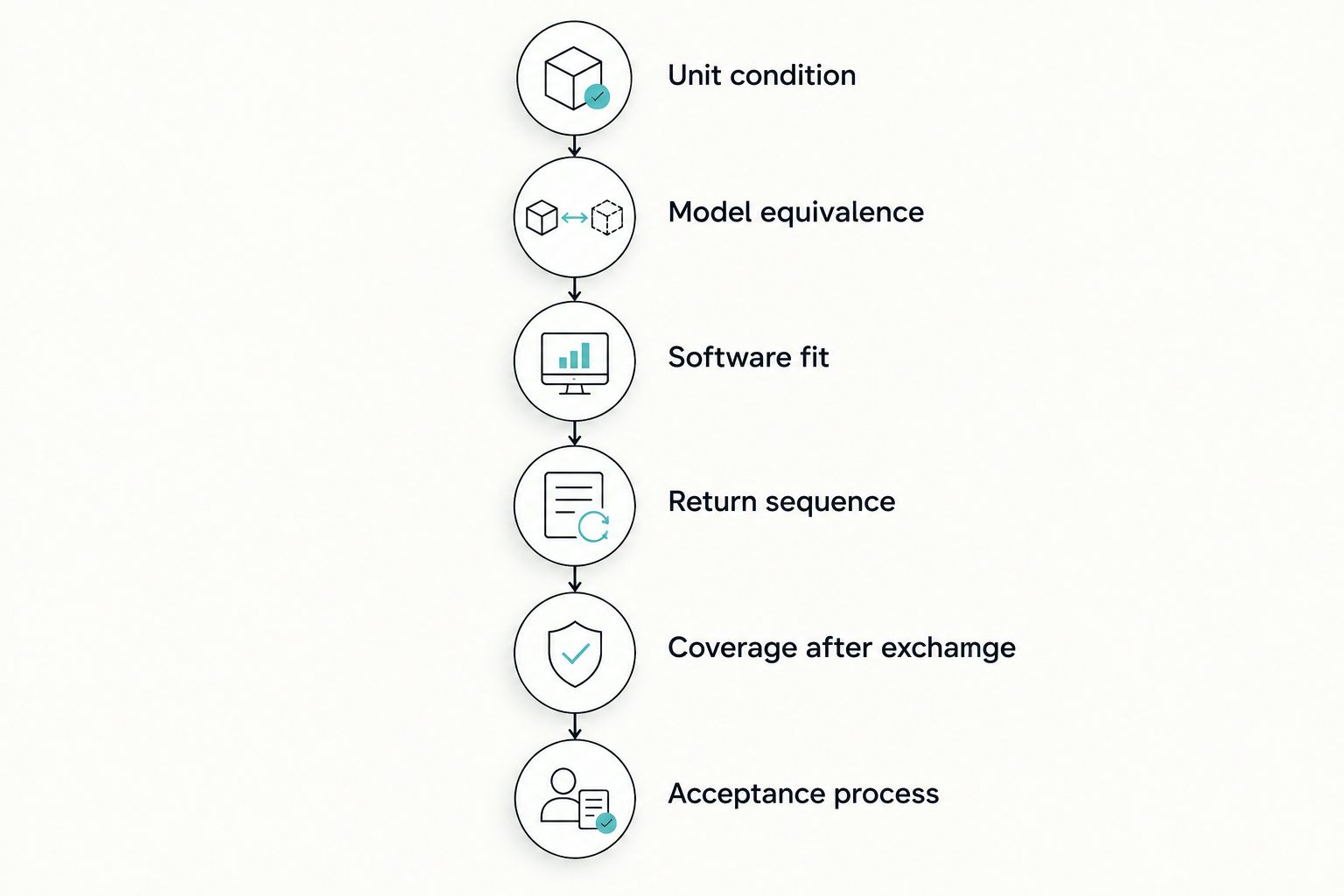
A replacement commitment needs a defined replacement unit and a defined process. The word replacement does not establish unit condition, model equivalence, software entitlement, or the coverage that follows the exchange.
Use these 6 checks before approving the purchase:
- Unit condition. Ask whether a replacement is new, refurbished, repaired, or another specified condition. Record the exact wording rather than substituting an internal purchasing assumption.
- Model equivalence. Establish whether the replacement must match the original model and sensor size. If substitution is permitted, require approval before dispatch.
- Software fit. Confirm how drivers, acquisition software, licenses, and workstation configuration are handled for the supplied replacement.
- Return sequence. Ask whether the original must arrive before a replacement is released and what return authorization or packaging is required.
- Coverage after exchange. Establish whether the replacement retains the original expiry date or receives another expressly stated coverage period.
- Acceptance process. Define who checks the replacement, records its serial number, and verifies its operation in your imaging environment.
Have the practice manager retain the written approval and the clinical lead define acceptance. That separates the commercial decision from the check that the replacement works in the intended operatory.
Can the cable be repaired instead of replacing the sensor?
Cable-only repair is a model-specific service question. Approve cable repair only through a service route the manufacturer authorizes for that sensor. Ask whether the assessment covers the cable assembly, the sensor, and any supplied interface hardware.
Before sending equipment, request a written explanation of the assessment process and how your practice authorizes work outside coverage. Also ask how an unsuccessful repair assessment is resolved and whether the returned equipment receives a documented service report.
Do not open the housing, splice the cable, or apply an improvised repair as a troubleshooting step. Follow the manufacturer's handling instructions and the authorized service provider's directions.
How should you document an intermittent sensor fault?
Document the symptom without deciding its cause. A report that identifies the affected workstation, connection arrangement, software environment, and observed behavior gives the service provider a clearer starting point than a claim labelled simply cable failure.
Use this sequence for your service record:
- Identify the equipment. Record the sensor model, serial number, purchase document, and supplied interface components.
- Describe the symptom. State whether the issue concerns recognition, acquisition, connection, or image appearance, without assigning an unconfirmed diagnosis.
- Record the environment. Note the workstation, operating system, acquisition software, and connection configuration involved.
- Preserve evidence. Save relevant error messages and photographs requested by the service provider. Follow practice privacy procedures when sharing diagnostic material.
- Follow authorized checks. Perform only the troubleshooting steps supplied by the manufacturer or authorized support contact, and record the result.
- Obtain return instructions. Secure authorization and handling instructions before shipping equipment for assessment.
Do not take patient exposures solely to reproduce an equipment fault. Ask support for an appropriate nonpatient diagnostic procedure.
For your 2026 service file, keep the claim correspondence with the purchase documents. That provides a record of the reported symptom, requested checks, and authorized resolution.
Does a replacement sensor need another software compatibility check?
Yes—verify compatibility for the exact replacement offered, rather than assuming the original purchase approval covers it. Identify the model, interface arrangement, supported driver, and acquisition software before accepting a substitution.
Ask who supplies installation assistance and whether an existing software entitlement transfers to the replacement. Also establish whether configuration work falls within the agreed service scope.
Use the dental X-ray sensor software compatibility checks when preparing the acceptance checklist. Keep warranty eligibility and software compatibility as separate approval questions: neither answer establishes the other.
What should you request before placing an order?
Ask Proelitedental to attach the applicable product documents to your dental X-ray sensor enquiry. Specify your imaging software, intended workstation arrangement, sensor-size requirements, and the service questions that must be resolved before approval.
Request 2 distinct documents: the applicable warranty and the applicable return or exchange policy. If either document refers to another agreement, request that agreement as well.
Your enquiry should ask:
- Does the warranty expressly address cable faults and physical cable damage?
- Who evaluates the failure, and how is a disputed determination handled?
- Is authorized cable-only repair supported for the quoted sensor?
- What replacement condition and model are permitted?
- What coverage applies after repair or replacement?
- Who coordinates shipping, technical support, and installation questions?
A qualified quote enquiry includes these questions before payment authorization. Keep the final answers with the accepted quote rather than leaving them in a separate conversation.
FAQ
Does a dental X-ray sensor warranty automatically cover a damaged cable?
No. Cable damage is covered only when the applicable written warranty includes the diagnosed failure. Check the exclusions and claim-assessment process before buying.
Can I replace just the cable on my intraoral sensor?
Cable-only replacement depends on the exact sensor and its authorized service arrangements. Ask the manufacturer or authorized service contact whether that repair is supported before attempting any intervention.
Is a sensor exchange policy the same as a warranty?
No. Treat the exchange policy and warranty as separate agreements unless their written terms explicitly connect them. Confirm which document governs a defect claim and which governs another type of return.
Will a warranty replacement sensor always be new?
Do not assume a warranty replacement will be new. Ask the agreement to specify the permitted condition and whether your practice must approve a substituted model.
Does the warranty restart when a sensor is replaced?
A replacement does not establish a new warranty period by itself. Obtain the replacement's coverage dates and governing terms in writing.
What should I do when my dental sensor disconnects intermittently?
Document the symptom and contact the authorized support provider for troubleshooting instructions. Record the workstation, software, connection setup, and error messages without assuming the cable is the cause.
What warranty questions should I ask Proelitedental before buying a dental X-ray sensor?
Ask Proelitedental for the applicable cable exclusions, assessment procedure, authorized repair route, and replacement conditions. Include your software environment so that replacement compatibility can be addressed with the service terms.
One last thing
A replacement is not ready for clinical use merely because it has arrived. Assign responsibility for checking the supplied model, recording its serial number, confirming software operation, and documenting acceptance under the manufacturer's instructions.
For a 2026 purchase, make replacement acceptance part of the original buying checklist. The service process should end with a documented return to your intended imaging workflow, not with a shipping notification.