

How much does a dental CBCT machine cost in 2026?
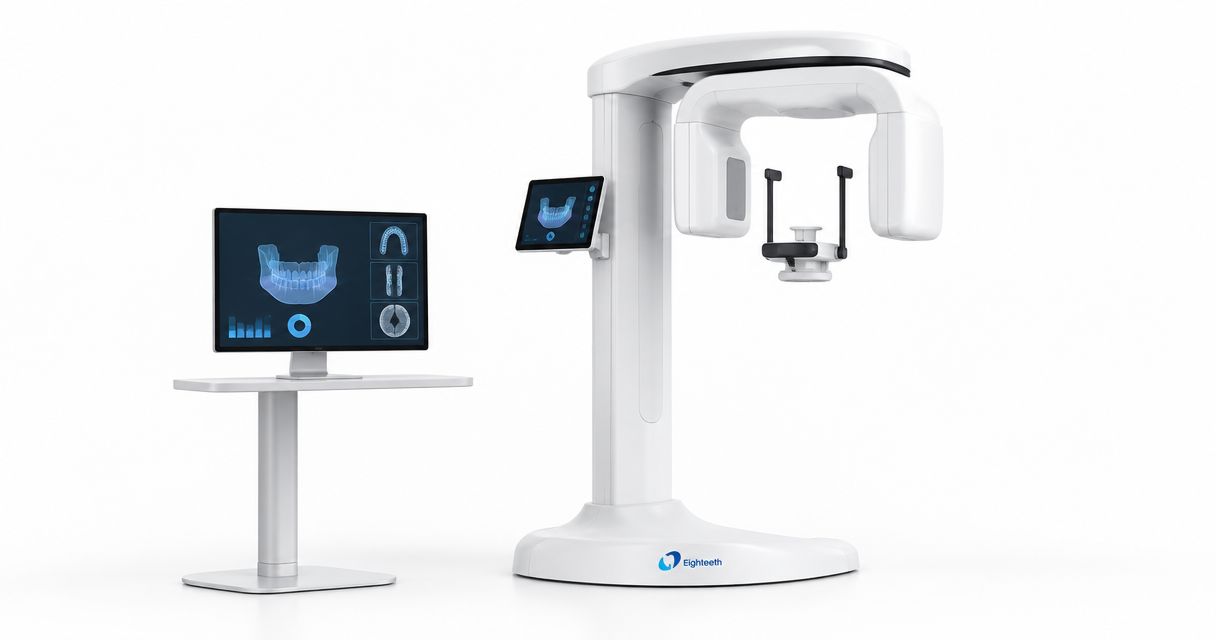
A dental CBCT machine’s purchase cost depends on the selected system and the scope of its written quote; compare complete acquisition costs rather than an equipment-only figure in 2026. Installation, software, workstation requirements, training, and service belong in that comparison, with each item explicitly marked as included, excluded, or separately quoted.
- Compare cbct scanner price using an itemized equipment quote, not an equipment-only figure.
- ProElite Dental Supply sells the FinScan F350 CBCT Unit; request configuration-specific documentation before selecting it.
- Separate acquisition costs from recurring software, maintenance, and service obligations.
- Match field of view and imaging workflows to your clinical requirements before comparing proposals.
How much does a dental CBCT machine cost in 2026?
The useful purchase figure is the total required to put the specified CBCT system into clinical operation. A proposal that excludes required software or installation is not directly comparable with a proposal that includes those items.
For a 2026 purchase, request the following breakdown before evaluating financing or approving an order. The distinction between CBCT machine price and ownership cost matters because acquisition and ongoing obligations answer different budgeting questions.
| Quote component | What the proposal should specify | What to resolve before approval |
|---|---|---|
| CBCT equipment | Exact model, configuration, accessories, and selected imaging functions | Whether the quoted configuration meets your intended examinations |
| Installation | Delivery responsibilities, assembly, commissioning, and acceptance process | Which tasks belong to the supplier and which belong to your practice |
| Site preparation | Room, electrical, network, and any shielding requirements | Who evaluates the site and documents required changes |
| Workstation | Acquisition computer, viewing hardware, and required specifications | Whether hardware is included and who supports it |
| Software | Acquisition, viewing, export, and any selected planning functions | Which functions require separate licenses or renewals |
| Training | Staff roles covered, training format, and follow-up arrangements | Whether training addresses your actual acquisition and review workflow |
| Service | Warranty scope, exclusions, labor, travel, and escalation process | What happens when the system cannot acquire images |
Ask the supplier to identify every required component that is not included. A blank line is not confirmation that the practice has no obligation for that component.
Why this matters
A CBCT purchase affects more than the imaging room. Your assistants need a repeatable acquisition process, your clinicians need access to the images, and your equipment buyer needs a clear account of contractual obligations.
Compare the same clinical scope and purchasing scope across every proposal. Otherwise, differences in included work can look like differences in equipment value.
Keep the equipment decision separate from unsupported expectations about production. Build the business case from your practice’s documented imaging activity, referral patterns, staffing, and intended clinical use—not a vendor’s generic revenue illustration.
What belongs in your CBCT acquisition budget?
Organize the acquisition budget around the complete installation rather than the scanner alone. This makes exclusions easier to identify and assigns responsibility before work begins.
Equipment configuration
Request the exact model designation and a configuration sheet attached to the proposal. Record the selected acquisition modes, field-of-view options, reconstruction software, positioning accessories, and any separately selected functions.
Do not treat a product-family brochure as confirmation of the ordered configuration. Ask the supplier to distinguish standard features from optional features in writing, including anything demonstrated that does not appear in the proposal.
Site readiness
Have the supplier provide installation requirements before you authorize room changes. Ask who confirms access clearances, equipment placement, electrical supply, network connectivity, and any applicable radiation-protection requirements.
Your room assessment should involve the appropriate qualified professionals and applicable state requirements. Do not assume that an existing radiography room automatically meets the requirements of a different imaging system.
Clinical handover
Define what constitutes a completed installation. Your acceptance checklist should address acquisition, image retrieval, export, user access, staff instruction, and delivery of operating documentation.
Separate technical commissioning from clinical training. A powered-on unit does not demonstrate that your team can complete the intended workflow or that your chosen planning software can use the exported examination.
Why CBCT scanner price comparisons vary
Use these factors as verification questions, not assumptions about a particular model. Each factor belongs in the proposal or its supporting documentation.
- Configuration: Confirm which imaging functions and accessories the quoted system includes. Compare the ordered configuration, not the broadest capabilities advertised for the product family.
- Clinical requirements: Specify the anatomy and examinations you need to capture. Ask the supplier to demonstrate the relevant field-of-view and acquisition options.
- Software scope: Identify acquisition, viewing, planning, export, and sharing functions separately. Record licensing terms for every function your workflow requires.
- Installation scope: Establish responsibility for site assessment, delivery, commissioning, and any required room work. Keep supplier work and practice-arranged work distinct.
- Support obligations: Obtain written warranty and service terms. Distinguish technical assistance from parts coverage, on-site labor, and travel.
- Existing infrastructure: Check the proposed system against your computers, network, storage, and clinical software. Request written requirements rather than assuming existing equipment is suitable.
A shorter proposal is not necessarily a simpler purchase. Unresolved scope should be clarified before you compare final proposals.
How should you compare CBCT configurations?
Start with the examinations your practice intends to perform. Then evaluate the configuration that supports those examinations without treating the broadest feature set as the default choice.
The following comparison describes purchasing approaches, not verified capabilities of any specific unit. Each approach has a useful role and a limitation.
| Purchasing approach | Best for | Advantage | Limitation to resolve |
|---|---|---|---|
| Defined-use configuration | Practices with a clearly documented set of imaging requirements | Keeps the evaluation focused on relevant acquisition and software functions | Confirm that the selected configuration covers every intended examination |
| Broader-use configuration | Practices evaluating several documented clinical workflows | Allows those workflows to be assessed within the same purchasing process | Additional functions do not establish a clinical or financial need by themselves |
| Staged configuration | Buyers considering optional functions after initial installation | Separates immediate requirements from later purchasing decisions | Obtain written confirmation of upgrade eligibility, dependencies, and terms |
For your 2026 shortlist, require suppliers to respond to the same examination list. Ask for demonstrations using the relevant protocols and a clear explanation of which configuration produced each example.
Do not equate a smaller voxel setting with a complete assessment of diagnostic suitability. Review the acquisition protocol, anatomy, artifacts, reconstruction, and intended diagnostic task together; settings alone do not establish clinical performance.
How do you compare ownership costs without mixing assumptions?
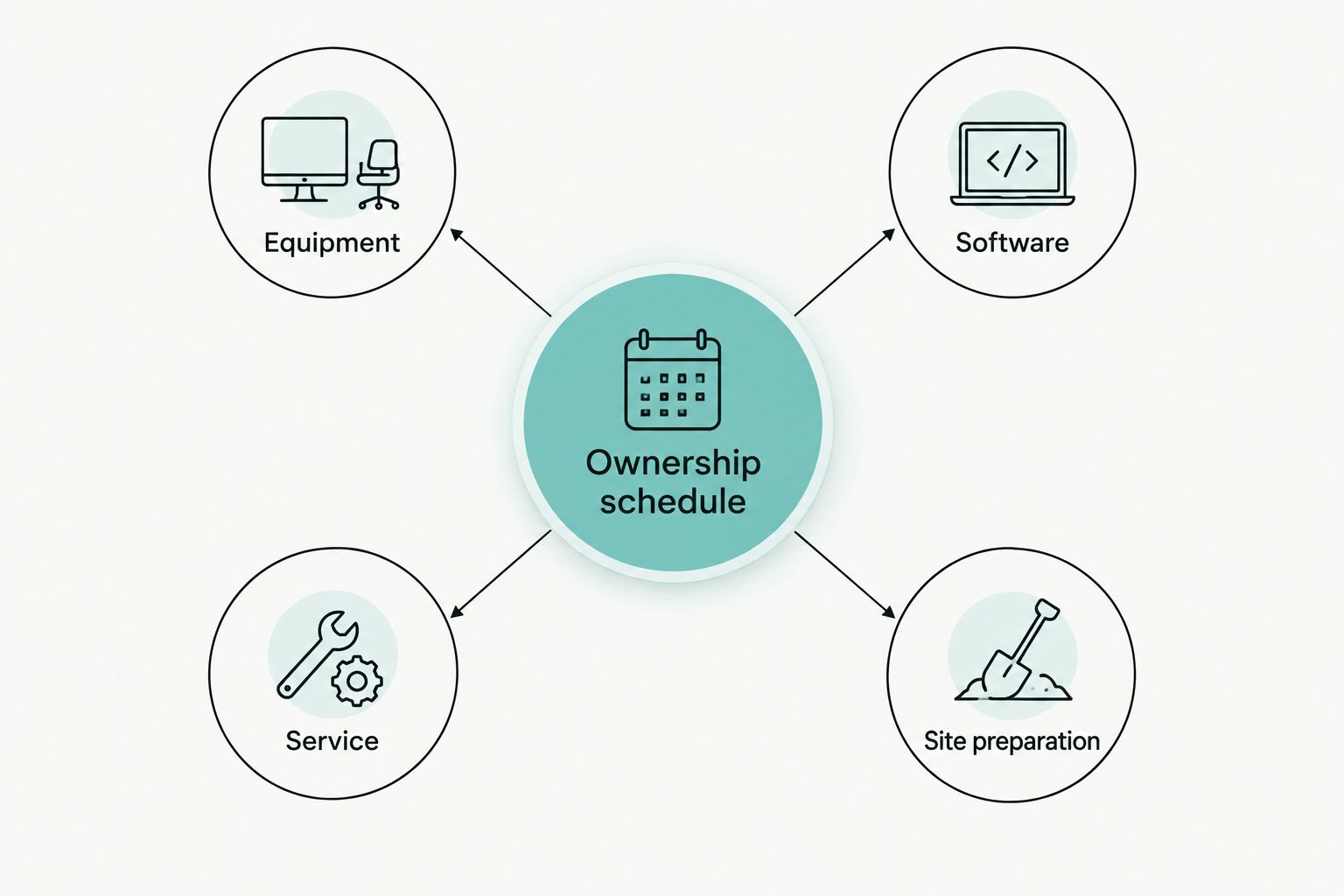
Use a consistent planning period for every proposal. As a purchasing worksheet, request 12-month, 36-month, and 60-month ownership schedules; these are comparison periods, not predictions of equipment life or replacement timing.
Keep contractual obligations separate from estimates. Mark each line as a documented charge, a practice-provided estimate, or an item requiring clarification, and use the same assumptions across suppliers.
Software
Request a written schedule of required licenses, optional modules, renewals, and update entitlements. Ask what functionality remains accessible if an optional agreement ends.
Include access arrangements in the review. Confirm how clinicians view examinations, how referring providers receive files, and whether additional users or workstations require separate authorization.
Service
Ask which components the warranty covers and which exclusions apply. Have the supplier identify responsibility for remote support, on-site work, travel, replacement parts, and post-warranty repairs.
Do not substitute a general statement about support for model-specific terms. Record the service contact, escalation process, and procedure for an acquisition failure in the purchasing file.
Storage and continuity
Have your IT provider review image storage, backup, access control, and recovery requirements. Confirm who maintains the acquisition workstation and who addresses problems spanning the scanner, software, and network.
Include a continuity plan for interrupted imaging. Decide how your practice will handle scheduled examinations while technical assessment or repair is underway, without assuming a replacement unit or repair deadline is guaranteed.
What should you verify during a CBCT demonstration?
A demonstration should test your intended workflow, not just display selected images. Give the supplier a written evaluation agenda and retain the results with the proposal.
- Positioning: Review patient access, positioning aids, operator controls, and the procedures your staff must follow. Check the installation layout against the proposed room.
- Acquisition: Ask the supplier to identify the protocol and configuration behind each relevant example. Record the settings rather than relying on an unlabeled image.
- Review: Follow the examination from acquisition through reconstruction and clinical review. Confirm the tools included in the quoted software.
- Export: Test a representative export in the intended destination software. Verify usability rather than accepting a file-format label as proof of compatibility.
- Recovery: Ask how staff report acquisition failures, retrieve examinations, and obtain technical assistance. Request the applicable written procedure.
The demonstration also has limits. It does not replace installation documentation, your clinical judgment, applicable regulatory requirements, or the signed service agreement.
Is the FinScan F350 a CBCT option to evaluate?
ProElite Dental Supply lists the FinScan F350 CBCT Unit in its dental-equipment catalog. Evaluate it against the same configuration, installation, software, and service checklist used for every shortlisted system.
ProElite Dental Supply is a dental-equipment supplier for practicing dentists evaluating a CBCT purchase alongside their wider equipment needs. For a qualified quote enquiry, provide your intended examinations, room information, current imaging software, and required installation scope.
The FinScan F350 is relevant to a dental CBCT purchasing review; its suitability for your practice requires configuration-specific documentation. Do not infer field of view, voxel settings, software compatibility, or warranty coverage from the model name alone.
Should you finance a dental CBCT machine?
Financing changes payment timing, not the equipment scope you need to verify. Compare the cash purchase agreement and financing agreement separately, then identify the complete contractual obligation.
Review fees, payment timing, insurance requirements, end-of-term provisions, and responsibility if installation is delayed. Obtain professional financial advice using your practice’s circumstances rather than treating a payment illustration as a profitability forecast.
For a 2026 decision, document the assumptions behind the purchase approval. Use your own examination demand and operating costs, and keep projected activity separate from recorded activity.
Can you compare CBCT quotes by the monthly payment alone?
A monthly payment is not a complete CBCT comparison. Different terms, deposits, included services, and end-of-term obligations can produce different payment structures for different purchasing scopes.
First align the equipment configuration and included work. Then compare financing terms against that common scope so the payment does not conceal a missing installation or software requirement.
FAQ
How do I compare cbct scanner price quotes in 2026?
Compare cbct scanner price quotes using the same equipment configuration and installation scope. Require separate entries for software, workstation requirements, training, service, and exclusions before comparing the complete proposals.
Does a dental CBCT equipment quote include installation?
Installation is included only when the written proposal states that it is included. Ask the supplier to define delivery, assembly, commissioning, site preparation, and acceptance responsibilities separately.
What ongoing costs should I check before buying a CBCT machine?
Check required software renewals, service agreements, maintenance obligations, storage, and workstation support. Distinguish documented contractual charges from estimates in your ownership worksheet.
Is a larger field of view always the better purchase?
A larger field of view is not automatically the better purchase. Match acquisition options to your intended examinations and verify the relevant configuration during the demonstration.
Can I use my existing implant-planning software with a new CBCT?
Compatibility requires verification with the proposed system and your exact software version. Test a representative examination export and confirm any required licenses or import functions before purchase.
What warranty details should I request for a dental CBCT?
Request written model-specific coverage, exclusions, claim procedures, and responsibility for parts, labor, and travel. Clarify the distinction between remote technical assistance and on-site service.
What should I send when requesting a CBCT quote?
Send your intended examinations, room information, current software, workstation arrangements, and requested installation scope. Ask the supplier to return an itemized proposal with configuration documentation and service terms.
One last thing
Ask for a complete sample examination export before signing. Open it in the software your clinicians actually intend to use, and document the steps required to retrieve, review, and share it.
Make that test part of your 2026 purchasing checklist. A successful export demonstration answers a practical workflow question that a feature list cannot.