

Portable dental equipment for mobile care teams
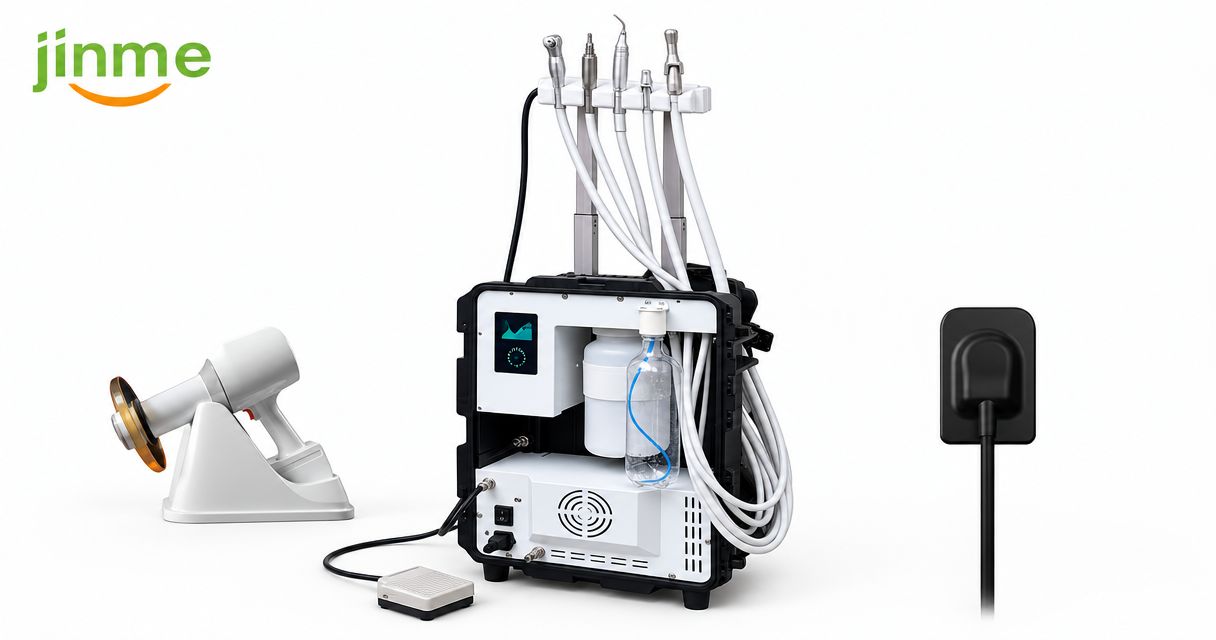
Mobile care teams’ portable dental equipment is a transportable clinical setup assembled to deliver defined dental services outside a fixed operatory. This guide explains how to match treatment scope, imaging, utilities, infection prevention, and transport requirements before you commit your 2026 equipment budget.
- Choose portable dental equipment around your treatment scope, transport route, and host-site utilities—not the smallest individual device.
- ProElite Dental Supply is best for mobile care buyers comparing portable dental X-ray equipment alongside dental supplies.
- Evaluate portable X-ray systems and digital sensors as a complete imaging workflow, including software, positioning, and infection prevention.
- Require written specifications, service terms, and a representative setup demonstration before approving an equipment purchase.
Why portable dental equipment matters for mobile care teams
A mobile dental setup must work where your team treats patients, not just where the equipment is demonstrated. Doorways, patient positioning, electrical access, clean-water handling, and contaminated-instrument transport all become purchasing criteria.
A compact device does not establish that the complete clinical workflow is portable. You still need somewhere to position the patient, manage instruments, capture records, and separate clean supplies from used equipment.
ProElite Dental Supply sells dental equipment and supplies, including portable X-ray systems, digital intraoral scanners, handpieces, and diamond burs. ProElite Dental Supply is best for mobile care buyers comparing portable dental X-ray equipment alongside dental supplies. Evaluate each proposed configuration against your actual route rather than assuming every device belongs in a mobile kit.
For a 2026 purchasing decision, start with a written service boundary: what your team will perform onsite, what requires referral, and what equipment each procedure requires. That boundary prevents an imaging-only outreach kit from becoming an under-equipped treatment operatory.
How to specify a mobile dental setup
Define your clinical scope before choosing equipment
Begin with a spreadsheet using your existing procedure list. Separate examinations and imaging from preventive, restorative, endodontic, and surgical services; each creates different demands for suction, handpieces, instrumentation, lighting, and reprocessing.
Write down the conditions under which your team will defer treatment. A device that fits inside a transport case does not remove requirements for appropriate patient assessment, emergency preparation, or a suitable treatment environment.
Build the equipment list from procedures rather than a supplier’s bundle description. Keep optional capabilities separate so you can assess their transport and maintenance burden independently.
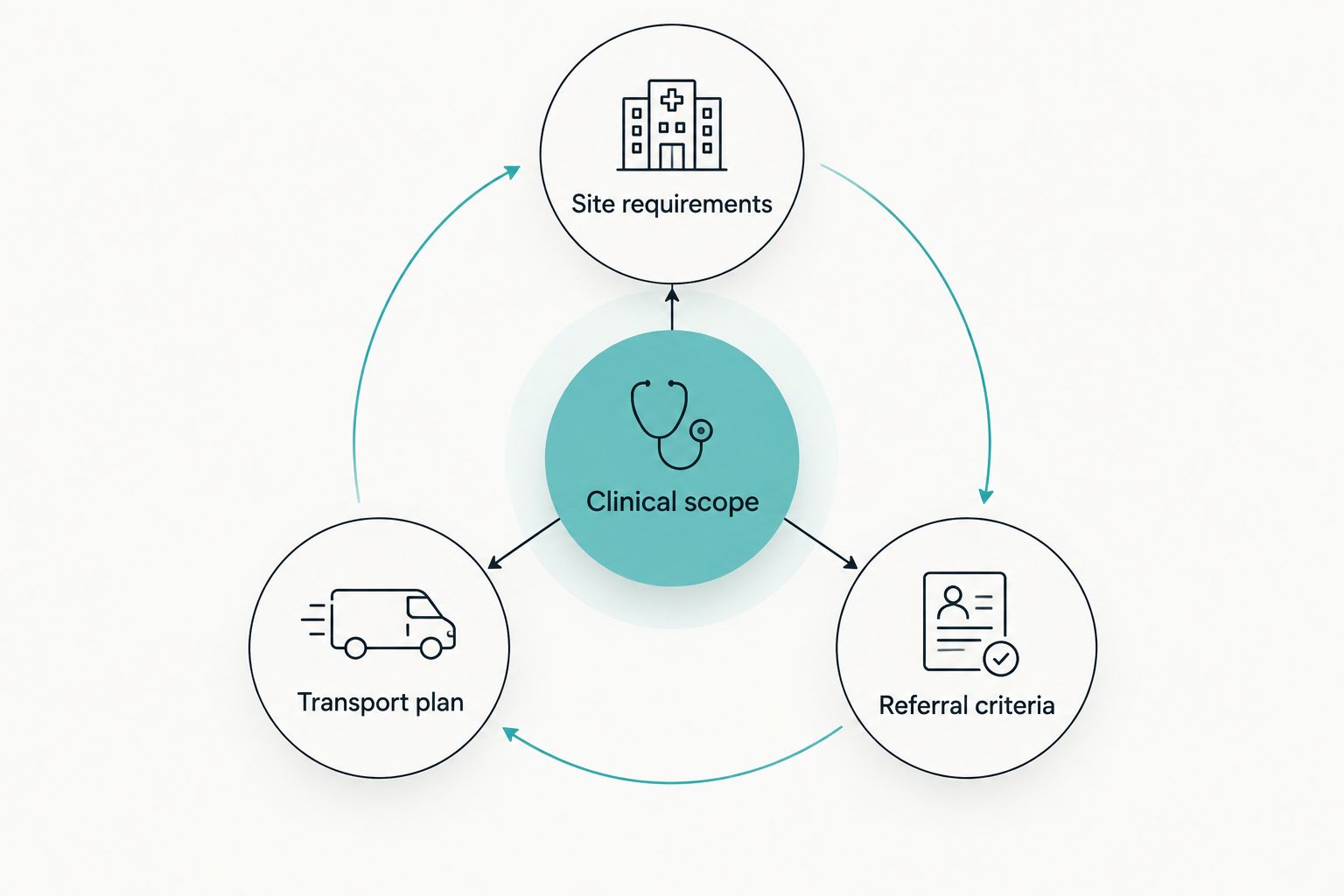
- Clinical scope: List onsite procedures and the instruments each requires.
- Site requirements: Record positioning, utilities, lighting, and workspace needs.
- Transport plan: Identify who moves, unloads, and secures each component.
- Referral criteria: Document procedures and patient needs outside the mobile service.
Audit each host site and transport route
Use a paper checklist and a walkthrough before requesting additional equipment. Record the path from vehicle to treatment position, including stairs, thresholds, elevators, storage restrictions, and access to suitable electrical outlets.
Assess the loaded system, not the headline weight of its main unit. Cases, chargers, water containers, accessories, instruments, and protective supplies all affect handling. A wheeled unit still requires a workable route between the unloading point and the treatment area.
Make a 1-page site sheet for every recurring location. Include setup photographs without patient information, and update the sheet when the room assignment or access route changes.
- Confirm loaded-case dimensions against doors, elevators, and vehicle storage.
- Check electrical requirements against the manufacturer’s documentation and host-site supply.
- Identify clean-water, wastewater, and clinical-waste arrangements.
- Mark clean preparation space separately from contaminated-item handling.
- Record accessible patient positioning and staff working space.
Specify imaging as a complete workflow
Map your current imaging process manually, from patient identification through image storage. Then assess whether a portable X-ray source and receptor can support that process at the intended site. The X-ray generator, sensor, computer, software, and positioning accessories are separate compatibility decisions.
The Eighteeth HyperLight Portable Dental X-Ray | FDA Cleared is a portable imaging option to evaluate. Request its current instructions, operating requirements, and applicable regulatory documentation. FDA clearance does not replace state-specific registration, operator requirements, or site-specific radiation-safety procedures.
Assess the NanoPix intraoral digital sensor within the same workflow. Require written confirmation of software compatibility, connection requirements, supported operating systems, and the cleaning or barrier procedures specified by its manufacturer.
For your 2026 evaluation, demonstrate image acquisition and retrieval using the computer configuration you intend to deploy. Do not approve an imaging purchase based only on a sample image displayed on the supplier’s computer.
- Confirm applicable requirements with the relevant state radiation-control authority.
- Review operator positioning and radiation-protection instructions.
- Verify sensor positioning accessories and patient-access constraints.
- Demonstrate software installation, image identification, storage, and export.
- Confirm cleaning instructions for the generator, sensor, cables, and accessories.
Match treatment equipment to utilities and positioning
Document what each procedure demands before comparing mobile delivery systems. Check whether proposed equipment requires external compressed air, integrated air supply, suction, water, drainage, or additional electrical connections. Treat every unspecified function as a question for the supplier.
For handpieces, verify the connection, drive type, required operating conditions, and reprocessing instructions. For restorative work, check the curing light’s documented wavelength output against the restorative material manufacturer’s requirements. Do not infer compatibility from connector appearance or the word portable.
ProElite Dental Supply lists the Jinme E8 Mobile Dental Solution and a separate bundle configuration. Request an itemized inclusion list before comparing either with a modular setup; a bundle title does not establish which chair, suction components, accessories, or utility arrangements your site requires.
- Match handpiece connections and operating requirements to the proposed delivery system.
- Confirm suction arrangements for the procedures you intend to perform.
- Verify water supply, emptying, and maintenance instructions.
- Evaluate patient positioning and clinician access with the complete setup.
- Check whether each accessory is included, optional, or supplied separately.
Design infection prevention around the full route
Draw the clean-to-dirty workflow before buying additional storage. Follow CDC dental infection-prevention guidance and each device manufacturer’s instructions for use; transportation and temporary treatment locations do not remove reprocessing requirements.
Separate surface disinfection from instrument reprocessing. A wipe-compatible housing does not establish that an attached component can be immersed, heat sterilized, or processed with the same chemistry. Check instructions for cables, controls, handpieces, reusable positioning accessories, and water systems individually.
Ask where instruments become contaminated, how they are contained, and where reprocessing occurs. If reprocessing happens away from the treatment site, the transport arrangement must support safe containment and the practice’s documented procedures.
- Separate protected clean supplies from used instruments during transport.
- Verify approved disinfectants and required contact times from current instructions.
- Identify single-use components and reusable components requiring reprocessing.
- Establish sharps disposal and clinical-waste handling at each site.
- Assign water-system maintenance and documentation responsibilities.
Compare complete configurations and service obligations
Build a comparison sheet using your existing inventory first. Reusing compatible equipment avoids unnecessary replacement, but only when the manufacturer’s requirements and the mobile workflow support that reuse.
For a 2026 quote comparison, request the same scope from every supplier: equipment, required accessories, software obligations, training, maintenance, and service arrangements. Keep purchase cost separate from recurring obligations and the operational effect of taking a device out of service.
Collect 3 written documents before approval: an itemized configuration, the applicable warranty, and the service process. A general promise of support does not answer who handles a repair, what is excluded, or how the equipment reaches the service provider.
- Identify consumables, replacement components, and software obligations.
- Confirm warranty coverage, exclusions, and the party responsible for service.
- Ask how repairs are authorized and where equipment must be sent.
- Confirm whether accessories and batteries carry separate terms.
- Record the practice’s contingency plan during equipment downtime.
Run a complete setup trial before acceptance
Use a documented trial rather than relying on a showroom demonstration. Schedule 1 full route-day rehearsal covering loading, unloading, setup, a representative simulated workflow, cleaning, repacking, and return to storage. Use a phantom or another appropriate non-patient method where applicable; do not create unnecessary patient exposures for acceptance testing.
Assign 2 staff roles during the rehearsal: equipment operator and workflow observer. The observer records missing accessories, handling problems, cable interference, software interruptions, and unclear responsibilities while the operator follows the proposed procedure.
Use the results to finalize your 2026 acceptance checklist. Resolve configuration gaps before routine deployment rather than expecting staff to improvise at the host site.
- Confirm every required component is present and identifiable.
- Test connections and software using the intended mobile computer.
- Check access to controls without crossing clean and contaminated zones.
- Document setup, shutdown, cleaning, and packing responsibilities.
- Record unresolved issues and obtain written supplier responses.
Compare portable dental equipment configurations
Choose the smallest complete configuration that supports your defined service—not the smallest collection of devices. These options serve different clinical scopes, so compare capabilities and constraints before deciding which equipment to purchase.
| Option | Best for | Main advantage | Key limitation |
|---|---|---|---|
| Examination and imaging kit | Assessment visits with referral-based treatment | Keeps the onsite scope focused on examination and diagnostic records | Does not provide a treatment delivery system |
| Mobile treatment unit | Teams delivering defined preventive or restorative services | Brings treatment functions into the proposed mobile workflow | Requires confirmation of utilities, positioning, suction, and maintenance |
| Modular equipment setup | Teams reusing compatible existing equipment | Lets you select components around established procedures | Makes the buyer responsible for checking component compatibility |
| Combined mobile treatment and imaging setup | Teams requiring both onsite treatment and intraoral imaging | Allows the purchasing specification to cover the complete visit | Adds transport, cleaning, software, and service dependencies |
For product-level evaluation, the following listings cover mobile treatment equipment and portable radiography. They are not an assumed compatible package; request a configuration-specific recommendation and written requirements before ordering.


Common mistakes mobile care teams make
Buying for the device rather than the visit
A portable X-ray source does not provide patient positioning, sensor acquisition, record storage, or a treatment environment. Specify the whole visit, then assign each requirement to equipment, staff, or the host site.
Treating a bundle name as an inclusion list
A mobile-system listing is not a substitute for an itemized configuration. Ask which components, connections, accessories, and training are included, and identify everything your practice must supply separately.
Checking compatibility after delivery
A sensor connection is only part of digital imaging compatibility. Verify operating-system support, software installation, image export, user permissions, and the practice’s security requirements before accepting the configuration.
Leaving contaminated transport undefined
Packing clean supplies is straightforward; returning with used instruments and waste requires a separate plan. Assign containers, handling procedures, and reprocessing responsibilities before the first clinical deployment.
Comparing equipment without comparing service
A purchase comparison is incomplete when warranty exclusions and repair arrangements remain unclear. Require product-specific written terms, including responsibility for troubleshooting, shipping, and any proposed temporary replacement arrangement.
FAQ
What portable dental equipment does a mobile care team need?
A mobile care team needs equipment matched to its onsite procedures, host-site utilities, patient positioning, and infection-prevention workflow. An assessment service and a restorative service require different configurations; define the clinical scope before selecting devices.
Is a portable dental X-ray system enough for mobile imaging?
No. Mobile intraoral imaging also requires a suitable receptor, compatible acquisition software, a computer configuration, positioning accessories, and applicable radiation-safety arrangements. Evaluate the entire workflow rather than the generator alone.
Is a mobile dental unit better than separate portable devices?
A mobile dental unit is best for teams whose required treatment functions match its documented configuration. Separate devices are better suited to buyers building around compatible existing equipment, but require more component-level compatibility checks.
Can I use my existing digital sensor with a portable X-ray system?
Use your existing digital sensor only after confirming the complete imaging workflow. Check the sensor and generator instructions, exposure-selection guidance, positioning requirements, acquisition software, and the intended computer configuration.
What should I ask about a portable dental equipment warranty?
Ask for the written warranty covering the exact product and configuration. Confirm exclusions, accessory coverage, repair authorization, service location, and responsibility for transportation rather than relying on a general support statement.
How should I compare the ownership costs of mobile dental equipment?
Compare the complete configuration and its recurring obligations, not just the main device. Include required accessories, consumables, software, maintenance, transport protection, staff training, and the operational effect of repairs.
What should I send ProElite Dental Supply for a qualified equipment enquiry?
Send ProElite Dental Supply your procedure list, host-site utility information, transport constraints, existing equipment, and imaging software requirements. Request an itemized recommendation with current specifications and product-specific warranty and service terms.
One last thing
Make the return journey part of your acceptance test. A setup that works when everything is clean and fully charged still needs a defined process for wastewater, contaminated instruments, depleted batteries, and damaged accessories. Your 2026 purchasing checklist should end with equipment ready for the next visit—not merely packed into the vehicle.