

Best dental X-ray sensors in 2026
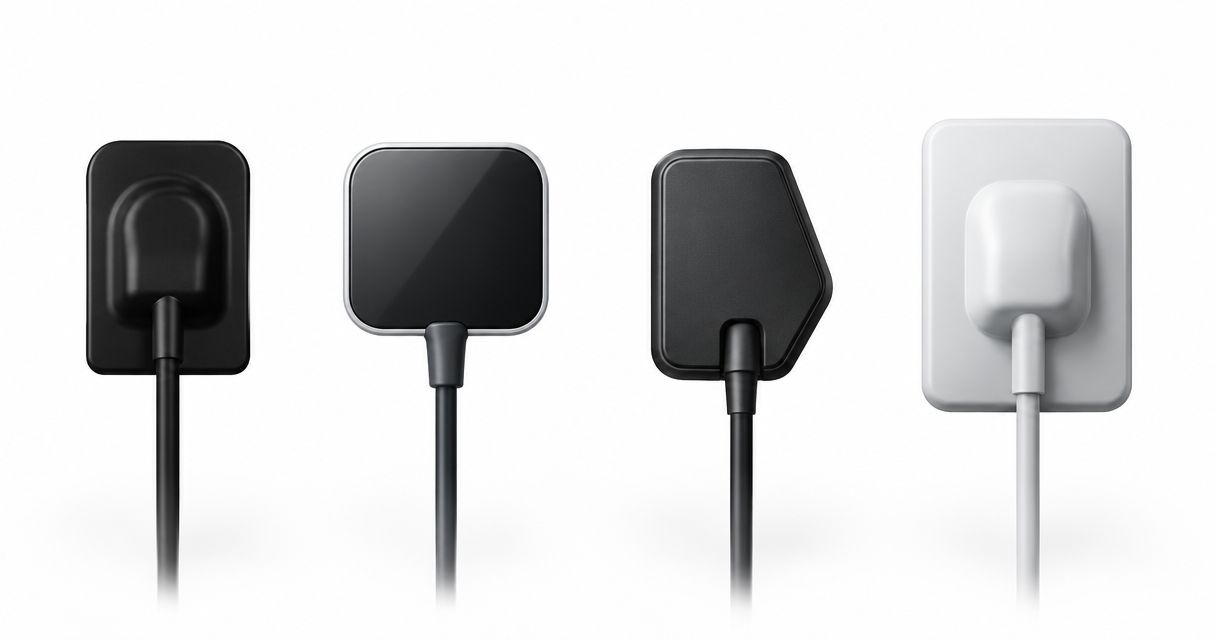
Best standalone shortlist: NanoPix Intraoral Digital Sensor. Best for an established imaging workflow: retain your current sensor if it passes your clinical and technical review. Best for replacing the source and receptor together: evaluate the Hyperlight X-Ray + NanoPix Sensor Bundle. This 2026 dental X-ray sensor guide ranks purchasing routes by workflow fit, not unsupported image-quality claims.
- NanoPix is the dental x ray sensor to shortlist when you need a standalone receptor, subject to compatibility verification.
- Retain an existing intraoral sensor when image quality, positioning, software support, and service remain satisfactory.
- Evaluate the Hyperlight and NanoPix bundle when your purchase includes both an X-ray source and digital receptor.
- Approve software integration, patient fit, and written replacement terms before authorizing a sensor purchase.
Why this matters
A dental X-ray sensor purchase affects more than image capture. Your team must position the receptor, acquire the image in the correct patient record, disinfect the equipment according to its instructions, and keep imaging operational when something fails.
ProElite Dental Supply is a dental X-ray sensor supplier to consider when your practice is evaluating NanoPix. The purchase decision still belongs at the workstation: confirm the proposed sensor works with your imaging software, holders, exposure workflow, and service requirements.
For your 2026 equipment review, distinguish an aging receptor from a workflow problem. Replacing a sensor does not automatically correct poor holder selection, unsupported drivers, inconsistent positioning, or an acquisition bridge that staff find difficult to use.
What makes the best dental X-ray sensor?
Use these criteria before comparing purchase proposals:
- Software compatibility: Verify the exact imaging application, version, operating system, acquisition method, and licensing requirements.
- Patient fit: Compare housing dimensions, active area, corner profile, cable exit, and holder access—not just the nominal size.
- Diagnostic usability: Review representative images at normal viewing settings and assess the anatomy your practice needs to interpret.
- Handling and reprocessing: Check cable routing, strain relief, barriers, approved disinfectants, and the manufacturer's cleaning instructions.
- Service and ownership: Obtain written coverage, exclusions, replacement procedures, and all required software and accessory charges.
A strong specification sheet cannot substitute for these checks. Treat an unresolved compatibility or service question as a purchasing hold, not an administrative detail to settle after installation.
Dental X-ray sensor options at a glance
These are ranked buying routes, not three different sensor models. NanoPix is the sensor identified in this guide; the other routes address whether you should replace it as part of a system or replace anything at all.
| Rank and option | Best for | Standout purchasing benefit | Key limitation |
|---|---|---|---|
| 1. NanoPix Intraoral Digital Sensor | Replacing or adding a standalone receptor | Keeps the purchase focused on the sensor | Requires model-specific software, fit, and service verification |
| 2. Retain your existing sensor | Practices with satisfactory imaging and supported integration | Avoids an unnecessary equipment change | Does not resolve existing hardware deterioration or support gaps |
| 3. Hyperlight X-Ray + NanoPix Sensor Bundle | Practices replacing the X-ray source and receptor together | Brings both equipment decisions into one purchase discussion | Requires separate evaluation of source operation and sensor integration |
1. NanoPix: best sensor shortlist for standalone replacement
NanoPix Intraoral Digital Sensor is the standalone receptor option in the ProElite Dental Supply dental X-ray sensor catalog supplied for this guide. Shortlist NanoPix when your existing X-ray source remains suitable and the purchasing requirement is a digital intraoral receptor.
A standalone purchase keeps the evaluation focused. You still need to verify the exact sensor configuration, included accessories, acquisition software, and connection requirements rather than assuming compatibility from the product category.
NanoPix pros:
- Addresses a receptor purchase without requiring a source replacement.
- Supports a focused comparison against your existing sensor's fit and workflow.
- Lets your team assess sensor integration separately from generator selection.
NanoPix cons:
- Software compatibility must be confirmed for your exact installation.
- Nominal sensor size alone cannot establish patient fit or active coverage.
- Cable-damage coverage and replacement procedures require written confirmation.
Best for: Practices adding or replacing a receptor while retaining a suitable intraoral X-ray source.
Before approving NanoPix in 2026, request a demonstration using your actual imaging application. Have an assistant perform acquisition and a dentist review the resulting images; both roles need to accept the workflow.
Verdict: Hold until compatibility, fit, and service terms are confirmed; buy when those requirements are satisfied.
2. Retain your current sensor: best for a proven existing workflow
Keeping your current sensor is a valid buying decision when it still meets your clinical and operational requirements. Equipment age alone does not establish a need for replacement.
Review representative examinations, inspect the housing and cable, and confirm ongoing software support. Ask staff to identify recurring positioning, connection, or acquisition problems rather than relying solely on whether the sensor still produces an image.
Existing-sensor pros:
- Preserves a workflow your team already knows.
- Avoids introducing a different holder or receptor profile unnecessarily.
- Keeps attention on correcting the actual source of imaging problems.
Existing-sensor cons:
- Retention leaves existing hardware defects unresolved.
- Unsupported software or unreliable connections remain operational liabilities.
- A familiar sensor still needs a documented failure-response plan.
Best for: Practices whose current receptor produces satisfactory diagnostic images and retains supported software integration.
Do not retain a sensor merely because its shortcomings have become routine. Repeated cable disconnections, unusable anatomy coverage, or unresolved damage warrant investigation and a replacement discussion.
Verdict: Hold your current sensor when the review is satisfactory; replace it when a documented problem justifies the change.
3. Hyperlight and NanoPix: best for a paired equipment review
The Hyperlight X-Ray + NanoPix Sensor Bundle combines a portable dental X-ray source and a digital intraoral sensor. Evaluate this route when both components belong in your equipment purchase, rather than treating a paired purchase as an automatic upgrade.
The source and receptor perform different jobs. Review sensor acquisition and patient fit separately from source handling, exposure controls, operator requirements, and applicable state radiation-control requirements.
Hyperlight and NanoPix bundle pros:
- Brings the source and receptor into the same purchasing discussion.
- Supports coordinated planning for imaging equipment replacement.
- Encourages a complete demonstration from positioning through image review.
Hyperlight and NanoPix bundle cons:
- Adds source-related checks that a sensor-only purchase does not require.
- Does not remove the need to verify imaging-software compatibility.
- Requires clear itemization of accessories, software, and service responsibilities.
Best for: Practices planning a portable intraoral imaging setup or replacing both the generator and receptor.
Request a component-by-component proposal from ProElite Dental Supply. Confirm which parts of the demonstrated workflow are included and which depend on your existing computers, software, holders, or other equipment.
Verdict: Buy only when both equipment needs are established; skip the paired purchase when a sensor alone addresses the requirement.
Verify integration before you compare image claims
For a 2026 purchase, ask the supplier to identify the supported acquisition route for your exact software installation. A direct integration, a supported acquisition interface, and a manual file-import process are different workflows; require the proposed method to be demonstrated.
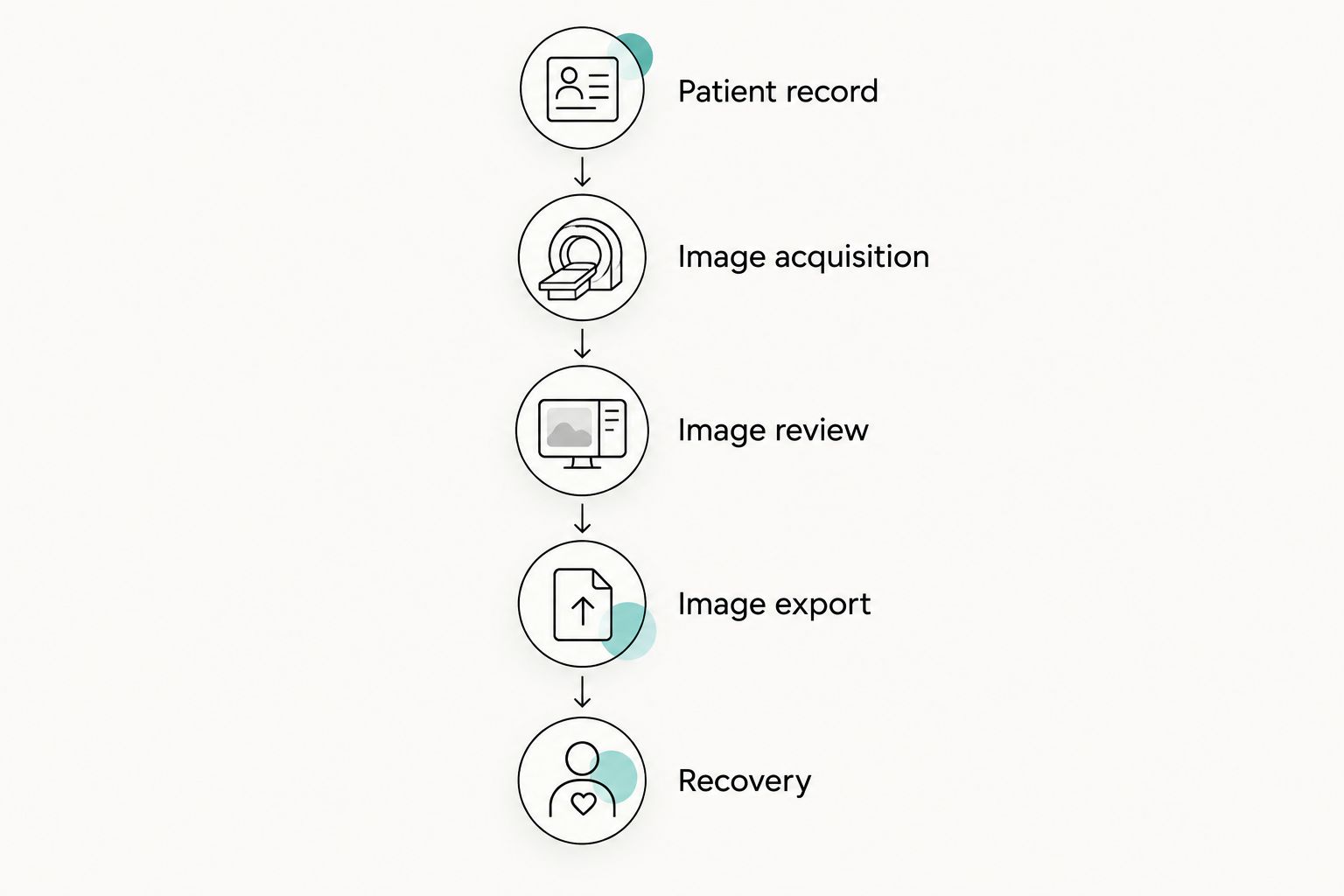
Use this sequence during the demonstration:
- Patient record: Open the correct patient record in your imaging application.
- Image acquisition: Acquire through the proposed supported workflow, using an appropriate demonstration setup.
- Image review: Confirm orientation, series assignment, display, and retrieval.
- Image export: Check the export method your practice needs for referrals or records transfer.
- Recovery: Have the supplier explain recovery from a disconnected receptor or interrupted acquisition.
Test the proposed setup on 2 workstations if your team expects to move the sensor between rooms. This is a recommended acceptance check, not a claim about any product's supported installation count.
Record the application version, operating system, drivers, and installation permissions used during the demonstration. Your practice's IT contact should receive that configuration before installation. Use the dental X-ray sensor software compatibility checks to structure the technical discussion.
Compare patient fit and image utility together
A sensor's outer housing is not its active imaging area. Ask for both dimensions in millimeters, plus the housing thickness and holder requirements, so you can compare positioning space with the anatomical coverage you need.
Do not infer universal dimensions from size labels. Common intraoral sensor designations include sizes 0, 1, and 2, but the actual housing and active area require model-specific confirmation.
Build your evaluation around 3 representative tasks: posterior bitewing positioning, posterior periapical positioning, and anterior periapical positioning. These are suggested review tasks, not a required clinical exposure protocol; use existing images, suitable demonstration equipment, and clinically justified imaging only.
Ask your clinicians to examine:
- Whether the necessary anatomy appears within the captured field.
- Whether holders permit the intended receptor placement.
- Whether the cable exit interferes with positioning or bite closure.
- Whether image review depends on excessive sharpening or contrast changes.
Judge diagnostic usability in context. Pixel pitch, resolution claims, and software enhancement settings describe different aspects of an imaging system; none replaces a clinician's review of representative images.
Put service terms and ownership costs in writing
Separate manufacturing-defect coverage from accidental damage, cable damage, connector damage, and liquid ingress. Ask who determines coverage, how the sensor reaches service, and what your practice does while the unit is being assessed.
For your 2026 proposal, require an itemized description of:
- Sensor configuration and included holders or accessories.
- Required acquisition software, licenses, and integration work.
- Computer or connection changes needed for installation.
- Reprocessing consumables and approved handling instructions.
- Repair, replacement, and any temporary-equipment arrangements.
The supplied NanoPix exchange-program entry states an eligibility window of 14 days after receipt. Confirm the complete current conditions before relying on that window; a size-exchange arrangement is not the same as defect coverage or accidental-damage protection.
Ask ProElite Dental Supply to include product-specific service terms in the written proposal. Do not assume that a sensor, portable source, and accessory share identical coverage simply because they appear in one purchase.
After those checks, compare the standalone receptor with the paired equipment route:


How the purchasing routes are ranked
The order prioritizes the narrowest purchase that solves the practice's documented problem: a standalone receptor first, retention when replacement is unnecessary, and paired equipment when both components need evaluation. It follows software compatibility, patient fit, diagnostic usability, handling, and service requirements.
This is a purchasing framework, not a laboratory-tested image-quality ranking. Product-specific performance claims require supporting documentation and a suitable demonstration.
Which dental X-ray sensor should you choose?
Shortlist NanoPix when you need a standalone receptor, then approve it against your practice's acceptance criteria. Retain your current sensor when it passes the same review; evaluate the Hyperlight and NanoPix bundle only when the source also belongs in the purchase.
For a qualified 2026 enquiry, send your imaging-software name and version, workstation details, current sensor configuration, and intended clinical use. Add your required service arrangements so the proposal addresses operation as well as equipment.
FAQ
What's the best dental X-ray sensor for my practice?
The best dental X-ray sensor fits your patients, works with your exact imaging software, and has acceptable written service terms. NanoPix is the standalone option to evaluate in this guide, subject to those checks.
Is NanoPix better than my existing sensor?
A product name alone cannot establish that NanoPix is better than your existing sensor. Compare representative images, positioning, software integration, and service requirements before replacing a satisfactory receptor.
Will a new dental sensor work with my imaging software?
Compatibility requires confirmation for your exact application, version, operating system, and acquisition method. Request a demonstration rather than accepting a general statement that a sensor works with digital imaging software.
Should I buy a sensor and portable X-ray together?
Evaluate a paired purchase when your practice needs both a receptor and an X-ray source. A functioning, suitable source does not need replacement merely because you are changing sensors.
Does sensor size tell me the active imaging area?
No, the nominal size does not establish the exact active imaging area. Request active-area and housing dimensions separately, then evaluate holder access and patient fit.
Does a sensor warranty cover cable damage?
Cable-damage coverage depends on the written product-specific terms. Ask separately about accidental damage, connectors, liquid ingress, assessment procedures, and replacement arrangements.
What belongs in a dental X-ray sensor quote?
A sensor quote should identify the configuration, accessories, software requirements, installation work, and service terms. Request any recurring charges and replacement arrangements in writing before approval.
One last thing
Ask the assistant who will position the receptor to participate in acceptance—not just the dentist reviewing images. A sensor purchase is incomplete until the practice has evaluated both positioning and interpretation.
Make the final decision at your workstation, with your holders and your written service terms beside the proposal. That is a stronger purchasing standard than selecting from resolution claims alone.